How to record a game return
Close the loan when a library game comes back: with the person's QR code or by hand from the staff panel.
10 steps with screenshots of the app
When a game comes back, close the loan so the game is free again and no longer counts as lent. It works the same for a Meeplay's game library and for your club's: you open your club's from its dashboard, with the Library icon.
- Have the Meeplay app installed and be logged in to your account.
- Manage an organization on Meeplay. If you don't have one yet, follow the How to create your organization guide first.
- Have a published game library in a Meeplay. If you don't have one yet, follow How to add a game library to a Meeplay.
In each screenshot, what you need to tap is outlined in yellow and pointed out with an arrow.
- Step 1 of 10
Switch to your organization's profile
On the home screen, tap the two arrows button to the right of your name.
- Step 2 of 10
Choose your organization
Under Select an organizer, tap your organization's name.
- Step 3 of 10
Open the agenda
Tap the calendar on the bottom bar.
- Step 4 of 10
Open the Meeplay
In list view, tap the Meeplay that has the game library.
- Step 5 of 10
Open the game library
On the Meeplay page, tap Game library.
- Step 6 of 10
Open manual return
If the person shows you the return QR code on their phone, tap Scan QR and scan it (it appears if a QR code is mandatory in the rules). To do it by hand, tap Manual return.
- Step 7 of 10
Find the loan
The active loans are listed, with who has each game and the time left. If there are many, search by game or person. Tap the loan.
- Step 8 of 10
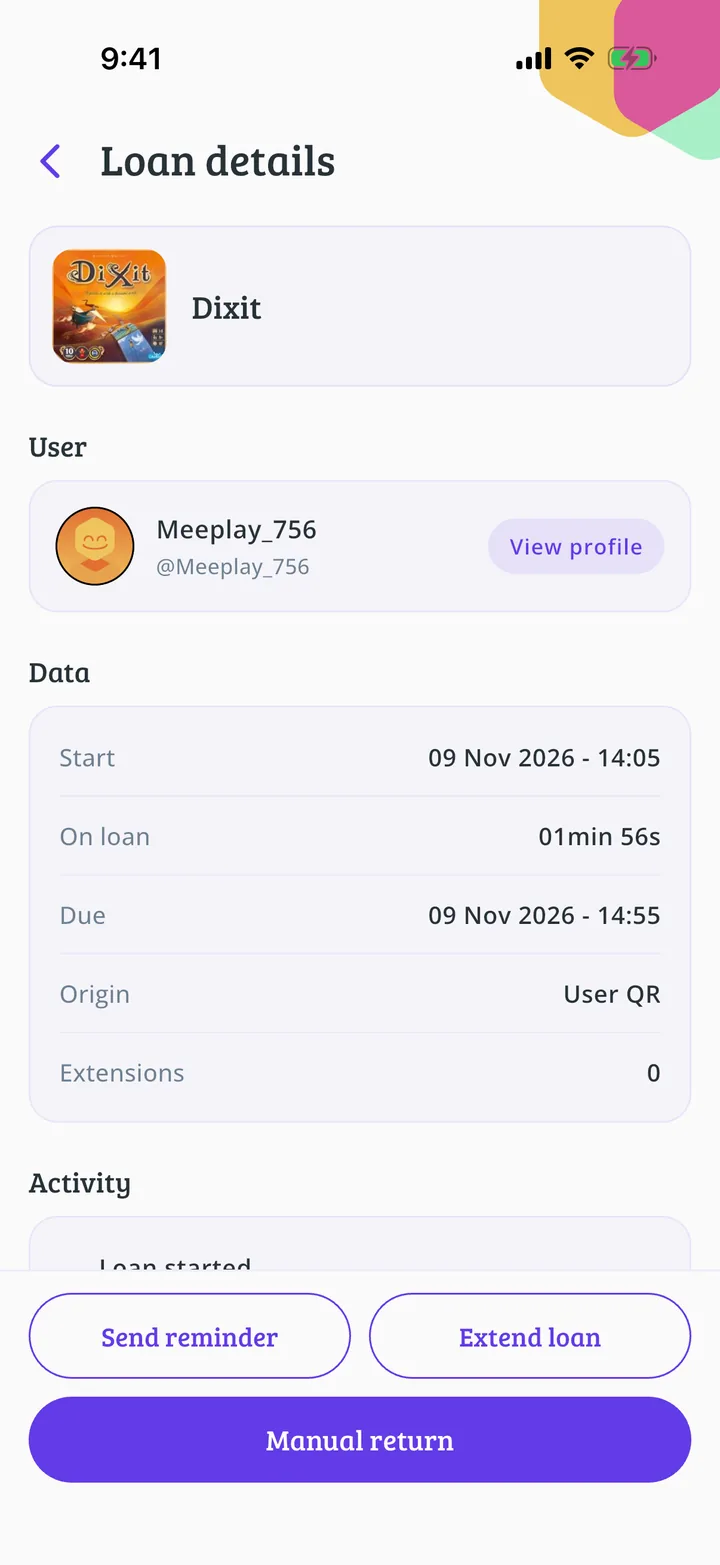
Check and return
Check it's the right game and person, and tap Manual return. From here you can also Extend loan if they need more time, or Send reminder to remind them.
- Step 9 of 10
Confirm
Tap Return.
- Step 10 of 10
Game returned!
You'll see Loan returned. Tap Accept. The game is free again and the loan moves to Returned.
All done!
You have finished the guide. If something did not go as in the screenshots, tell us which step you got stuck on and we will help you.