How to set the maximum number of games per person
Decide how many games each person can have on loan at once, and whether they can take two copies of the same game or borrow again with an overdue loan.
8 steps with screenshots of the app
The game library rules decide how many games each person can have at once. If someone tries to take one more, the app won't allow the loan. It works the same for your club's game library and for a Meeplay's: you open a Meeplay's from its page, with the Game library button.
- Have the Meeplay app installed and be logged in to your account.
- Manage an organization on Meeplay. If you don't have one yet, follow the How to create your organization guide first.
- Have a game library with games. If you don't have one yet, follow How to load your club's game library one game at a time.
In each screenshot, what you need to tap is outlined in yellow and pointed out with an arrow.
- Step 1 of 8
Switch to your club's profile
On the home screen, tap the two arrows button to the right of your name.
- Step 2 of 8
Choose your club
Under Select an organizer, tap your club's name.
- Step 3 of 8
Open the game library
On your club's dashboard, tap the Library icon, the one with the shelf.
- Step 4 of 8
Open the rules
The game library panel opens. Tap Rules.
- Step 5 of 8
Tap the maximum
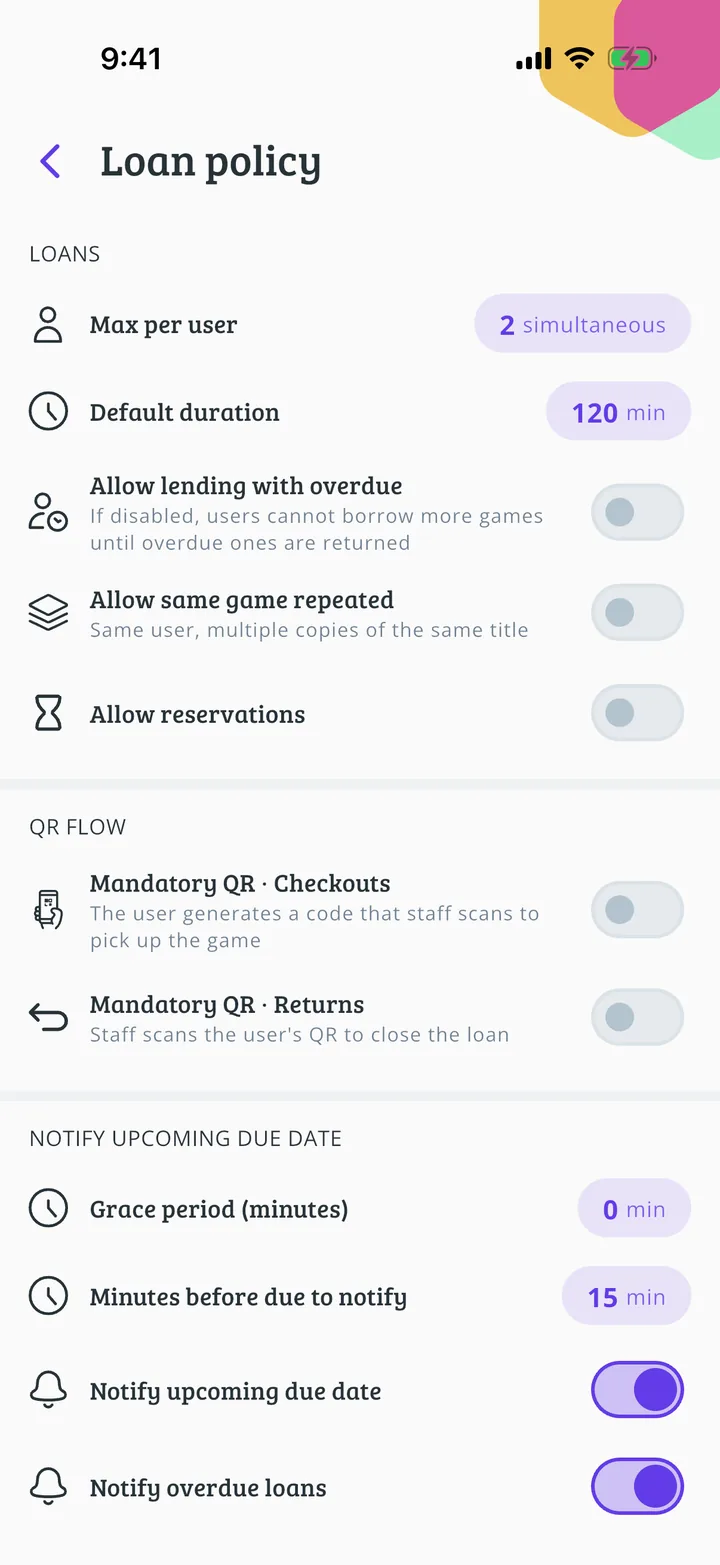
Max per user shows how many games each person can have at once. Tap it to change it.
- Step 6 of 8
Type the number
Type how many games each person can take at once and tap Accept.
- Step 7 of 8
Check the rest and save
The new number is shown. Just below, Allow lending with overdue decides whether someone with an overdue loan can borrow another game, and Allow same game repeated whether someone can take two copies of the same game. Scroll to the bottom and tap Save rules.
- Step 8 of 8
Rules saved!
You'll see Policy saved successfully. Tap Done. The limit applies to loans made from now on.
All done!
You have finished the guide. If something did not go as in the screenshots, tell us which step you got stuck on and we will help you.