How to let exhibitors create activities in the program
Authorize the organizations exhibiting at your event so they can add their own demos, signings or talks to the program.
10 steps with screenshots of the app
At a fair, each publisher or shop knows best which demos, signings or talks it's going to run. Authorize it and it adds them to your Meeplay's program itself, without going through you.
- Have the Meeplay app installed and be logged in to your account.
- Be the person who created the Meeplay: the authorized organizers section only shows for them.
- The exhibiting organization needs its own profile on Meeplay: see How to create your organization.
In each screenshot, what you need to tap is outlined in yellow and pointed out with an arrow.
- Step 1 of 10
Switch to your organization's profile
On the home screen, tap the two arrows button to the right of your name.
- Step 2 of 10
Choose your organization
Under Select an organizer, tap your organization's name.
- Step 3 of 10
Open the agenda
Tap the calendar on the bottom bar.
- Step 4 of 10
Open the Meeplay
In list view, tap the event's Meeplay.
- Step 5 of 10
Open the program
Under Activity program, tap See all.
- Step 6 of 10
Open the authorized organizers
Tap Authorized organizers.
- Step 7 of 10
Add an organization
Tap the +.
- Step 8 of 10
Find the exhibitor
Type the name of the shop, publisher or association exhibiting at your event and tap it in the list. You can pick several.
- Step 9 of 10
Give it access
Tap the Add button at the bottom.
- Step 10 of 10
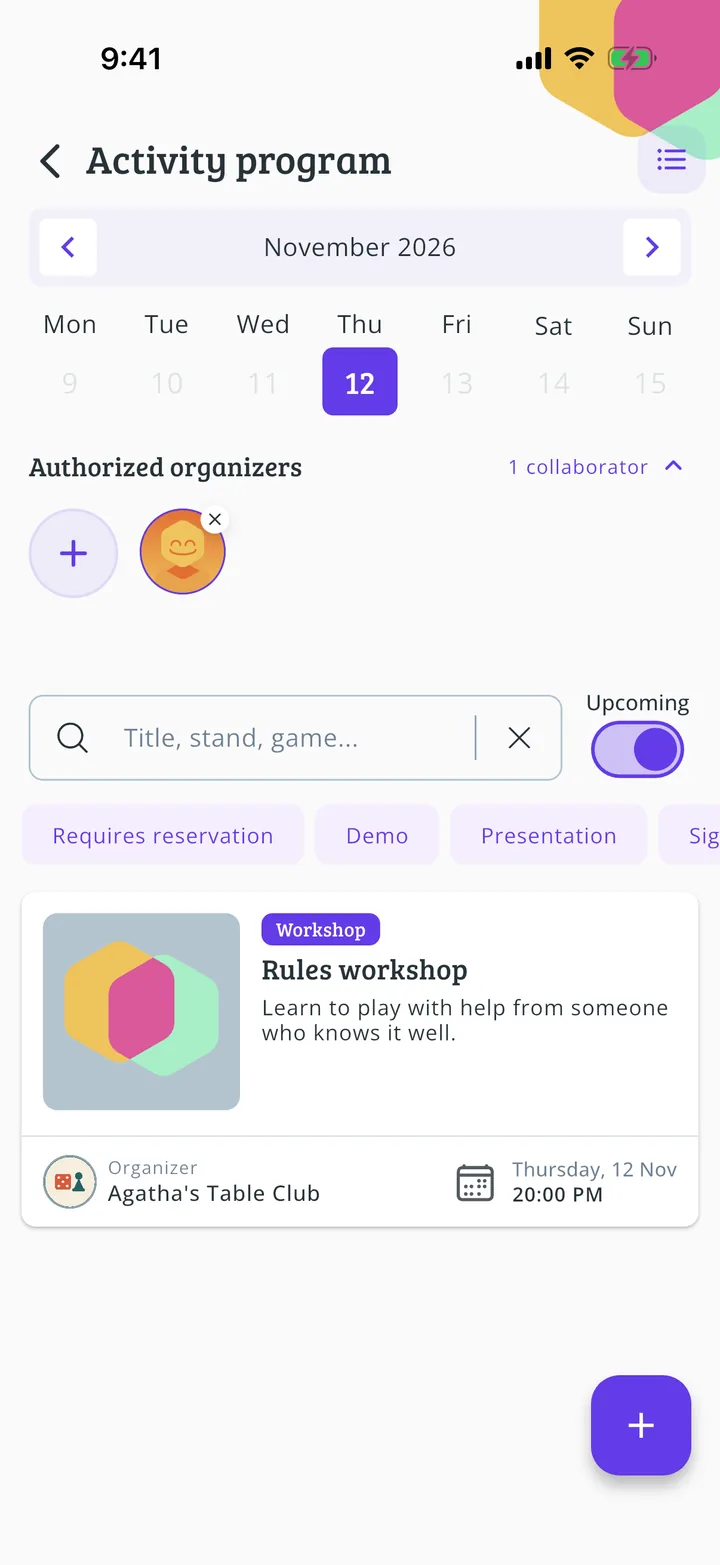
It can now create activities
The organization now shows under Authorized organizers. From now on, whoever manages it can add their activities to your Meeplay's program, as in How to create the activity schedule. To take the permission away, tap the x on its logo.
All done!
You have finished the guide. If something did not go as in the screenshots, tell us which step you got stuck on and we will help you.