You don't have to run your organization alone. You can add other people with a Meeplay account as administrators. If you only need help with something specific, such as door control at an event, you can give them a limited permission.
Have the Meeplay app installed and be logged in to your account.
In each screenshot, what you need to tap is outlined in yellow and pointed out with an arrow.
Step 1 of 9
Switch to your organization's profile
On the home screen, tap the two arrows button to the right of your name.
Step 2 of 9
Choose your organization
Under Select an organizer, tap your organization's name.
Step 3 of 9
Open your organization's profile
On the dashboard, tap your organization's name at the top left.
Step 4 of 9
Open administrators
On your organization's profile, tap Managers.
Step 5 of 9
Add someone
This is who manages the organization. Tap the + button.
Step 6 of 9
Find the person
Tap Name or nick, type their name and choose them from the list.
Step 7 of 9
Confirm
Tap Add user.
Step 8 of 9
They can now manage it
The person appears on the list. The star transfers ownership of the organization to them and the bin removes their access. Both ask for confirmation. To give a more limited permission, tap the shield at the top.
Step 9 of 9
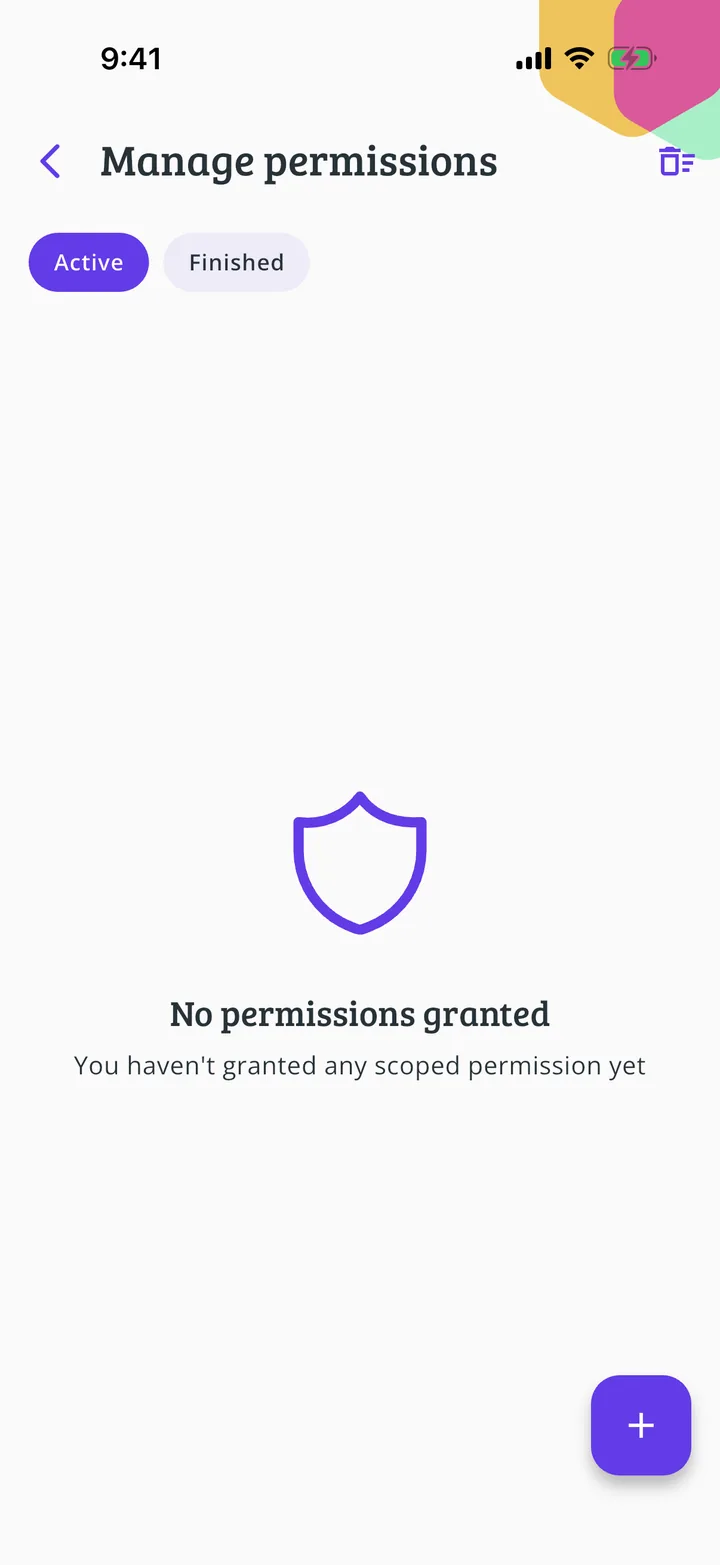
Specific permissions
Under Manage permissions you can grant access to just one part, such as door control or the library, with an expiry date if you like.
Guide completed
All done!
You have finished the guide. If something did not go as in the screenshots, tell us which step you got stuck on and we will help you.