How to see your event's game library stats
See how many loans the library has made, which games go out most, the busiest hours and how games come back.
11 steps with screenshots of the app
A Meeplay's game library keeps track of everything it lends. Its stats give you a summary for the period you choose: loans, most requested games, peak hours, late returns and how often people come back.
- Manage an organization with a Meeplay that has a game library. If you don't have one yet, see How to add a game library to your Meeplay.
- Have lent some games, so there is data.
In each screenshot, what you need to tap is outlined in yellow and pointed out with an arrow.
- Step 1 of 11
Switch to your organization's profile
On the home screen, tap the two arrows button to the right of your name.
- Step 2 of 11
Choose your organization
Under Select an organizer, tap your organization's name.
- Step 3 of 11
Open the agenda
Tap the calendar on the bottom bar.
- Step 4 of 11
Open the Meeplay
In list view, tap the Meeplay that has the game library.
- Step 5 of 11
Open the game library
On the Meeplay page, tap Game library.
- Step 6 of 11
Open the stats
The library panel opens. Tap Stats.
- Step 7 of 11
Choose the period
They open on the Event dates, the recommended period: that way test loans you make beforehand don't count. To change it, tap the period at the top.
- Step 8 of 11
Change the period
Choose Today, Last 7 days, Specific dates or All time, and tap Apply.
- Step 9 of 11
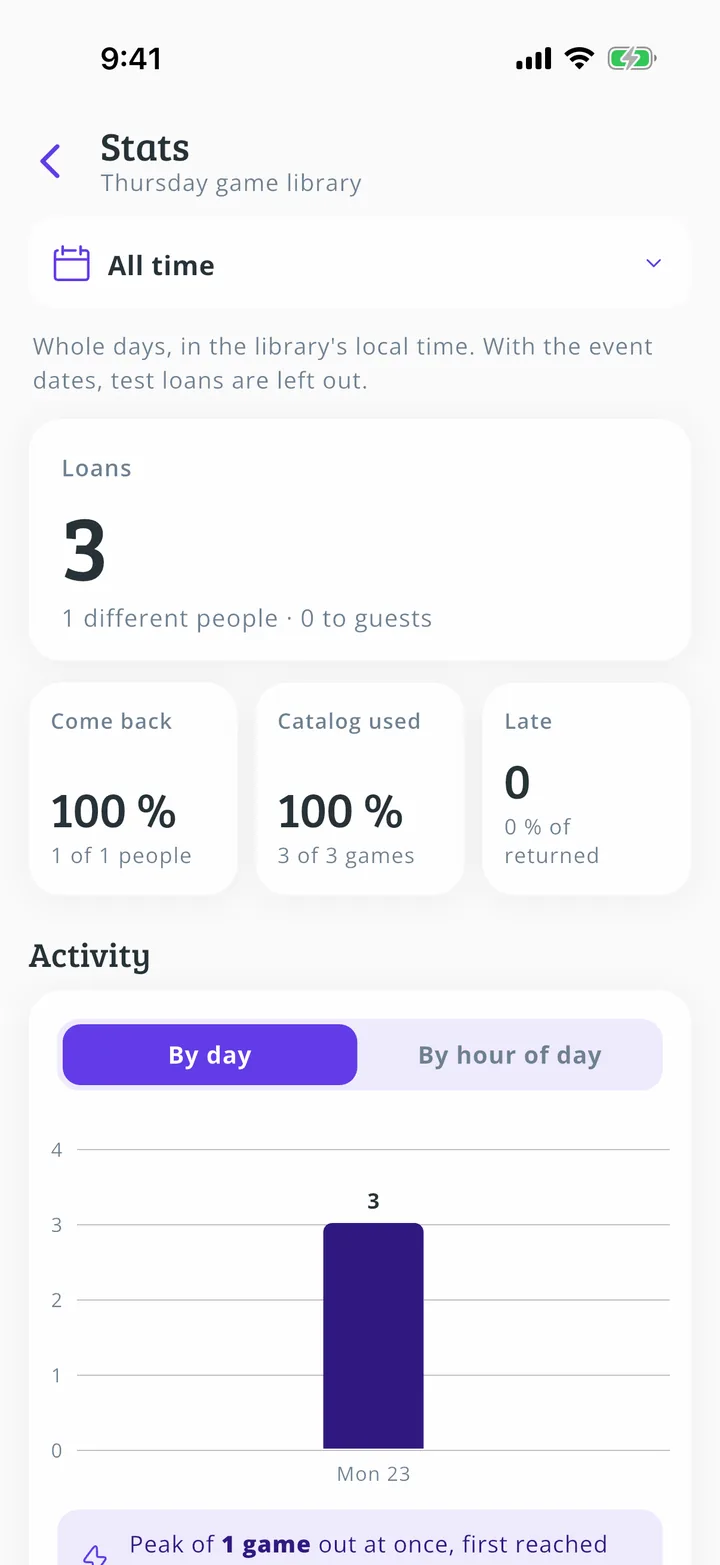
The summary
At the top you have the period's Loans and how many people borrowed; Come back, how many borrowed more than once; Catalog used, how many games went out; and Late, those returned late. Activity shows loans By day or By hour of day, and the peak of games out at once.
- Step 10 of 11
Which games go out
Further down you have the Most borrowed games, how much of the Catalog has gone out and the Loan status: returned, not returned and lost. Any game that has never gone out appears under Never borrowed.
- Step 11 of 11
Duration and returns
At the end, How long a loan lasts (average, median and longest), Handover and return, with how many were done by QR and how many by hand, and How often people come back.
All done!
You have finished the guide. If something did not go as in the screenshots, tell us which step you got stuck on and we will help you.