How to make a Meeplay with external registration
If you handle registrations on your website or another platform, make the Meeplay's join button go there.
6 steps with screenshots of the app
If you handle registrations outside Meeplay, you can enter the address of your website or platform: anyone who taps Join goes straight there.
- Have the Meeplay app installed and be logged in to your account.
- Manage an organization on Meeplay. If you don't have one yet, follow the How to create your organization guide first.
In each screenshot, what you need to tap is outlined in yellow and pointed out with an arrow.
- Step 1 of 6
Switch to your organization's profile
On the home screen, tap the two arrows button to the right of your name.
- Step 2 of 6
Choose your organization
Under Select an organizer, tap your organization's name.
- Step 3 of 6
Open "New Meeplay"
Tap the + button at the bottom and then the New Meeplay icon.
- Step 4 of 6
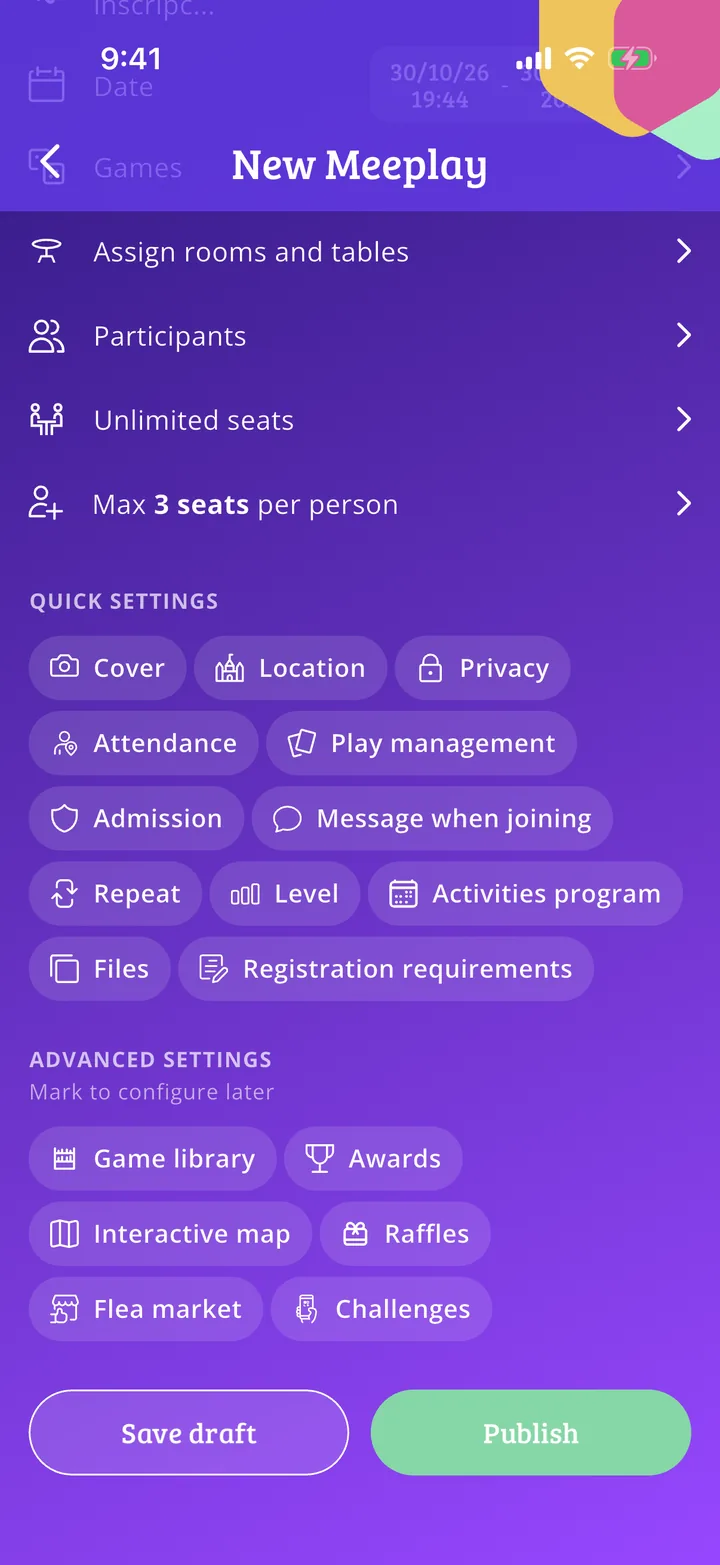
Open "External registration"
Under Quick settings, scroll down and tap External registration.
- Step 5 of 6
Paste the address
Type or paste the address of your registration page, starting with https://, and tap Accept.
- Step 6 of 6
Finish and publish
Finish the Meeplay and publish it as usual. When someone taps Join, they will go to that address.
All done!
You have finished the guide. If something did not go as in the screenshots, tell us which step you got stuck on and we will help you.