When to link an activity to a Meeplay or a tournament
When a program activity should have its own Meeplay or tournament, and how to link it when you create it.
10 steps with screenshots of the app
A program activity has its own page, with its time, places and price. Link it to a Meeplay when you need what a Meeplay gives you: registrations, a chat with the people who sign up and game records. If it's a competition, create its tournament. This guide links some beginner games to a new Meeplay.
- Have the Meeplay app installed and be logged in to your account.
- Manage an organization on Meeplay. If you don't have one yet, follow the How to create your organization guide first.
- Have the Meeplay created: see How to create Meeplays from your organizer account.
In each screenshot, what you need to tap is outlined in yellow and pointed out with an arrow.
- Step 1 of 10
Switch to your organization's profile
On the home screen, tap the two arrows button to the right of your name.
- Step 2 of 10
Choose your organization
Under Select an organizer, tap your organization's name.
- Step 3 of 10
Open the agenda
Tap the calendar on the bottom bar.
- Step 4 of 10
Open the Meeplay
In list view, tap the Meeplay you want to add the activity to.
- Step 5 of 10
Tap "Add activity"
On the page, tap the Add activity icon.
- Step 6 of 10
Do you need a Meeplay?
Fill in the title, description, date and type as in How to create the activity schedule. At the bottom is Organize activity. Link the activity to a Meeplay if you need to manage registrations, talk to the people who sign up or record games. Create new Meeplay creates one with the activity's details. Link existing Meeplay uses one you already have (it can't be the event's own). Create tournament is for competitions: it then asks you for the tournament details. If it's a talk or a signing that needs none of that, leave all three unticked. In this example, tap Create new Meeplay.
- Step 7 of 10
Publish the activity
Tap Publish.
- Step 8 of 10
Confirm
Tap Publish.
- Step 9 of 10
The activity leads to its Meeplay
The activity is now in the program, with Go to Meeplay: that's how people sign up, as in How to sign up for an event activity. Tap it to see the Meeplay.
- Step 10 of 10
A Meeplay for the activity
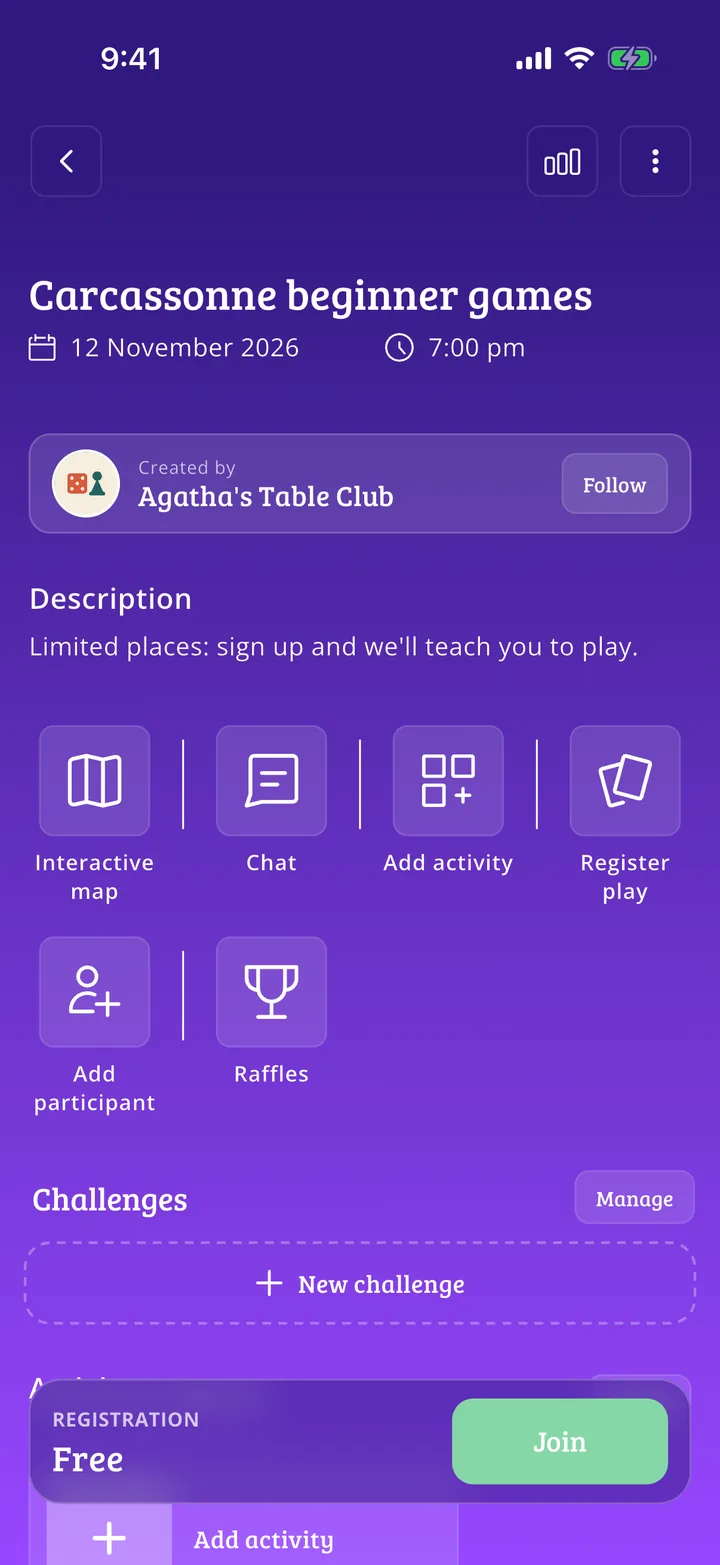
It was created with the activity's details and works like any other Meeplay: you see who signs up, write in its Chat and record games with Register play.
All done!
You have finished the guide. If something did not go as in the screenshots, tell us which step you got stuck on and we will help you.