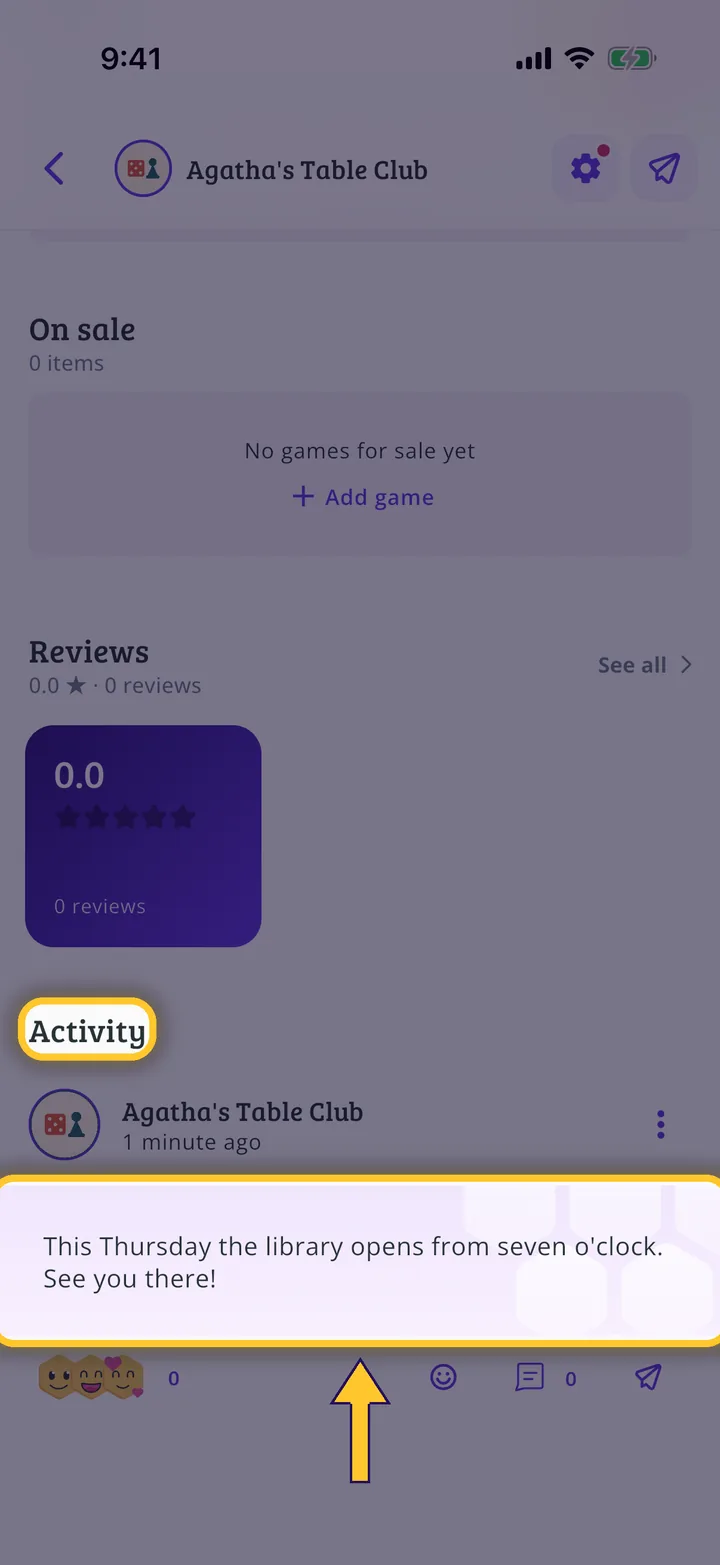
In each screenshot, what you need to tap is outlined in yellow and pointed out with an arrow.
Step 1 of 4
Switch to your organization's profile
On the home screen, tap the two arrows button to the right of your name.
Step 2 of 4
Choose your organization
Under Select an organizer, tap your organization's name.
Step 3 of 4
Open your organization's profile
On the dashboard, tap your organization's name at the top left.
Step 4 of 4
Scroll down to the activity
On the profile, scroll down to Activity. Your posts are there, with their reactions and replies. The three dots on each post let you edit or delete it.
Guide completed
All done!
You have finished the guide. If something did not go as in the screenshots, tell us which step you got stuck on and we will help you.