Where to see your games for sale
Find in the app the games you have for sale, the ones you have sold and your ratings, and edit or share each ad.
4 steps with screenshots of the app
All your ads are in My shop, inside the market: the ones you have for sale, the ones sold and the ratings you have received. From each ad you can edit or share it.
- Have the Meeplay app installed and be logged in to your account.
- Have posted an ad: see How to put a game up for sale.
In each screenshot, what you need to tap is outlined in yellow and pointed out with an arrow.
- Step 1 of 4
Open the market
Tap the cart on the bottom bar.
- Step 2 of 4
Go to your shop
Tap the person icon at the top right. Next to it, the envelope is the inbox with your conversations.
- Step 3 of 4
Your ads
At the top you have To sell, Sold and Ratings. Tap an ad to open it.
- Step 4 of 4
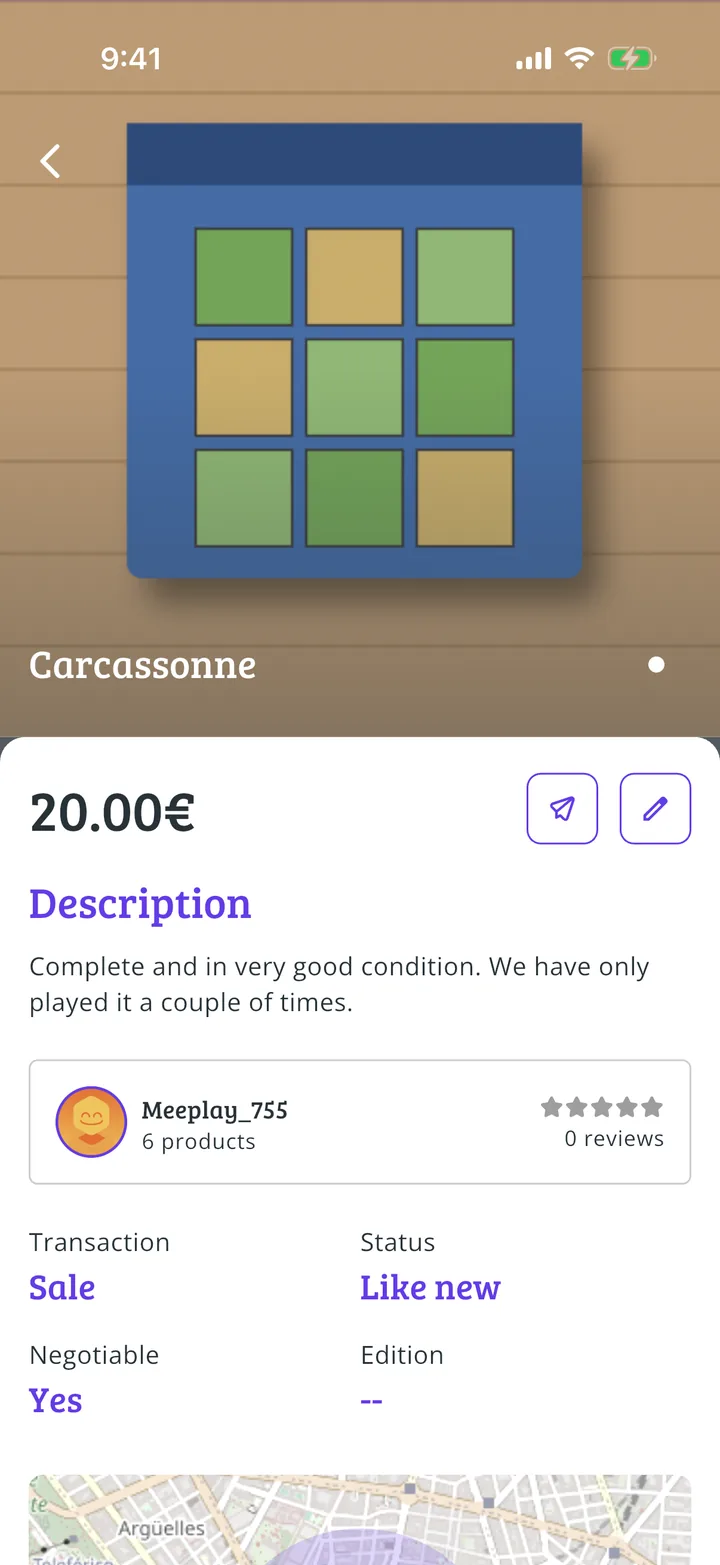
Edit or share the ad
The pencil changes the ad and the paper plane shares it.
All done!
You have finished the guide. If something did not go as in the screenshots, tell us which step you got stuck on and we will help you.