Your badges on Meeplay
Check the badges you have earned, the ones you are missing and the limited-time ones.
5 steps with screenshots of the app
Meeplay rewards you with badges for playing, rating games and taking part in the community. Here you can see which ones you have and what you need for the rest.
- Have the Meeplay app installed and be logged in to your account.
In each screenshot, what you need to tap is outlined in yellow and pointed out with an arrow.
- Step 1 of 5
Open your profile
On the home screen, tap your name at the top left.
- Step 2 of 5
Go to "Settings"
Tap Settings.
- Step 3 of 5
Open "My badges"
Tap My badges.
- Step 4 of 5
Check your badges
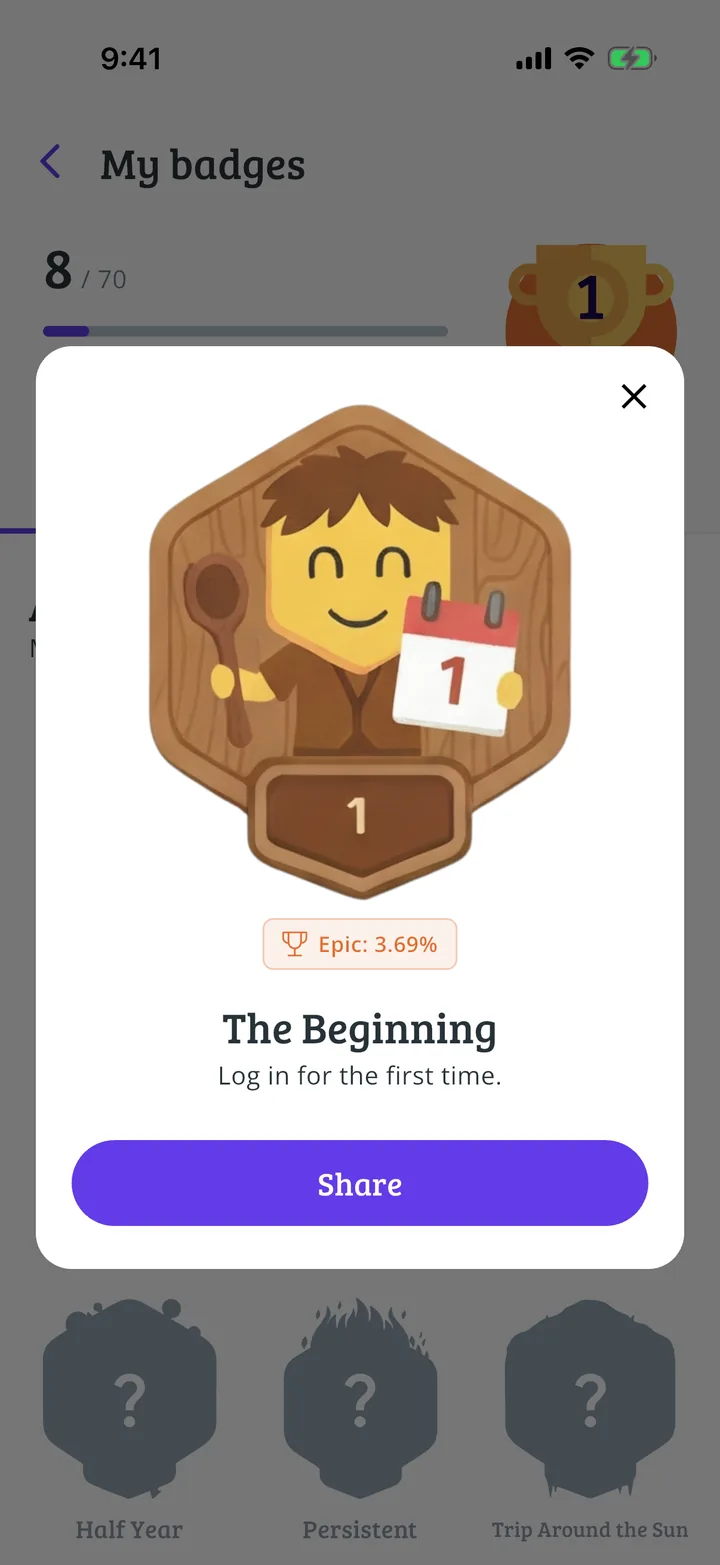
At the top you can see how many you have. Badges groups them by theme; Limited Time brings together the ones you can only earn for a limited time. Tap one to see what it asks for.
- Step 5 of 5
See what it asks for
Here you can see what you need to earn it and what percentage of people have it. Tap Share to show it to someone.
All done!
You have finished the guide. If something did not go as in the screenshots, tell us which step you got stuck on and we will help you.
Next in «For players»Game and player rankings →