Game and player rankings
See the plays logged on Meeplay, who plays most and which games are played most, by year.
5 steps with screenshots of the app
As well as your own stats, you can see the ones for the whole community: how many plays are logged, who plays most and which games are popular.
- Have the Meeplay app installed and be logged in to your account.
In each screenshot, what you need to tap is outlined in yellow and pointed out with an arrow.
- Step 1 of 5
Open the stats
Tap the bars icon at the bottom.
- Step 2 of 5
Switch to the whole community
These are your stats. Tap the globe at the top right.
- Step 3 of 5
Check the summary
General shows the plays logged and the highlights. Choose the year at the top. Tap Top players.
- Step 4 of 5
Who plays most
This is the player ranking. Filters lets you change the criteria. Tap Top games.
- Step 5 of 5
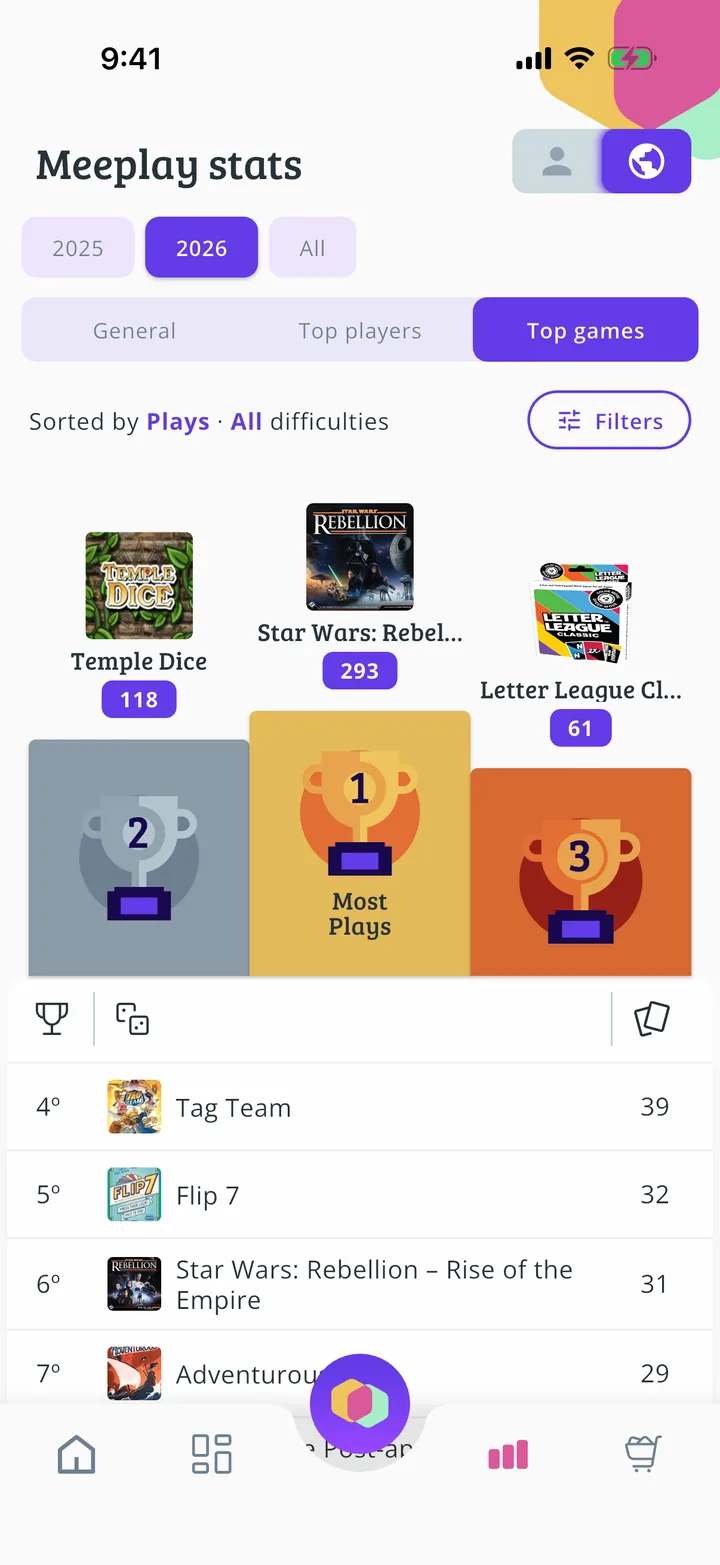
Which games are popular
And here is the game ranking. Tap one to open its page.
All done!
You have finished the guide. If something did not go as in the screenshots, tell us which step you got stuck on and we will help you.
Next in «For players»How to rate and review a game →