From your organization you can buy campaigns to feature your games. The form opens in a browser window inside the app. This guide prepares a campaign in the Market and goes as far as the summary. Prices depend on the placement and duration: you'll see them before paying.
Have the Meeplay app installed and be logged in to your account.
In each screenshot, what you need to tap is outlined in yellow and pointed out with an arrow.
Step 1 of 8
Switch to your organization's profile
On the home screen, tap the two arrows button to the right of your name.
Step 2 of 8
Choose your organization
Under Select an organizer, tap your organization's name.
Step 3 of 8
Open promotion
In your organization, tap the cart on the bottom bar and then Promote your brand.
Step 4 of 8
Choose what to promote
Game uses your games' cover and page. Custom banner lets you upload your own image and message. With Game selected, tap Continue.
Step 5 of 8
Choose where to show it
Where should we show it? shows the available placements and their prices. Scroll down to the Market, tap the one you want and then Continue.
Step 6 of 8
Choose the games
You can promote several games at once. Search for them, tick them and tap Continue.
Step 7 of 8
Duration and date
Choose the Duration and the Start date: the app works out the end. If you like, add a link to your shop or website. It can't be changed after buying. Tap Continue.
Step 8 of 8
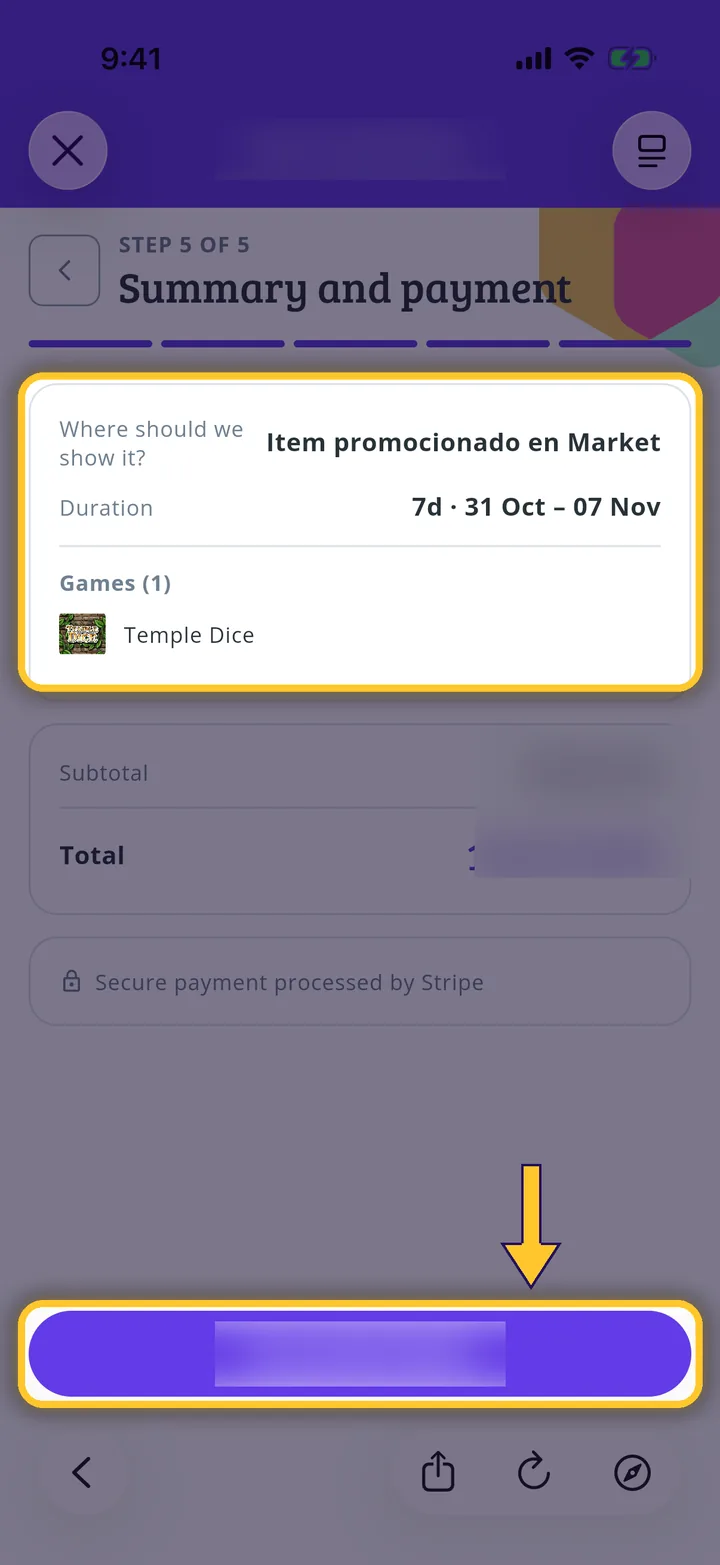
Check and pay
Under Summary and payment, check the details and the total, and tap the pay button. Payment is processed by Stripe. Your campaign is under review. We'll notify you once Meeplay approves it.
Guide completed
All done!
You have finished the guide. If something did not go as in the screenshots, tell us which step you got stuck on and we will help you.