Your profile keeps the Meeplays you took part in, including the ones that have already ended. From there you can open any of them again to check its details.
Have the Meeplay app installed and be logged in to your account.
Have signed up for a Meeplay. If you haven't yet, the section doesn't appear on your profile.
In each screenshot, what you need to tap is outlined in yellow and pointed out with an arrow.
Step 1 of 4
Open your profile
On the home screen, tap your name at the top left.
Step 2 of 4
Go to the full list
Scroll down your profile to Assisted Meeplays. To see them all, tap Show all.
Step 3 of 4
Find the one you want
You can search by name, use Filters or see them in the Calendar. The ones that have ended have a label in the corner. Tap one to open it.
Step 4 of 4
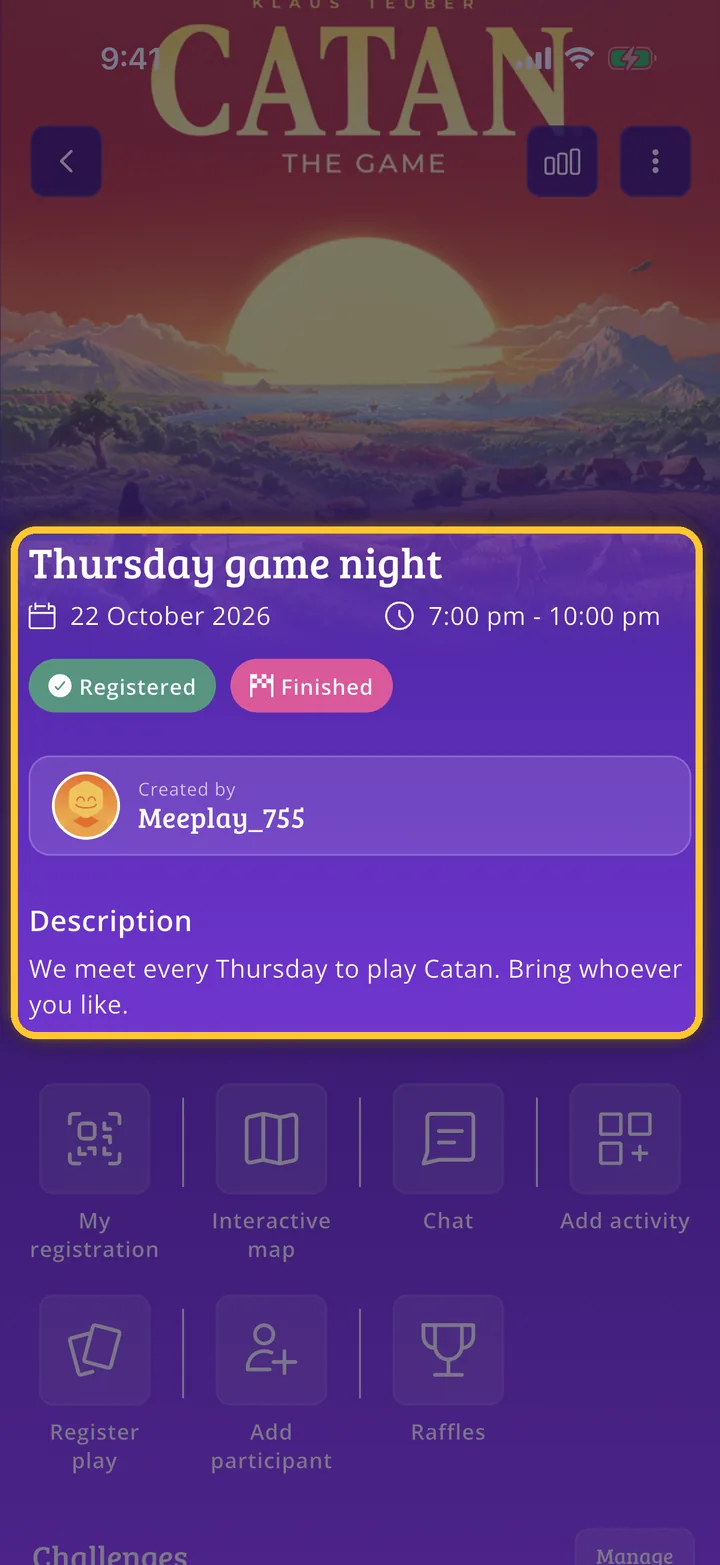
Check its page
The page shows its date, who created it and its description. Scroll down to see the participants and games.
Guide completed
All done!
You have finished the guide. If something did not go as in the screenshots, tell us which step you got stuck on and we will help you.