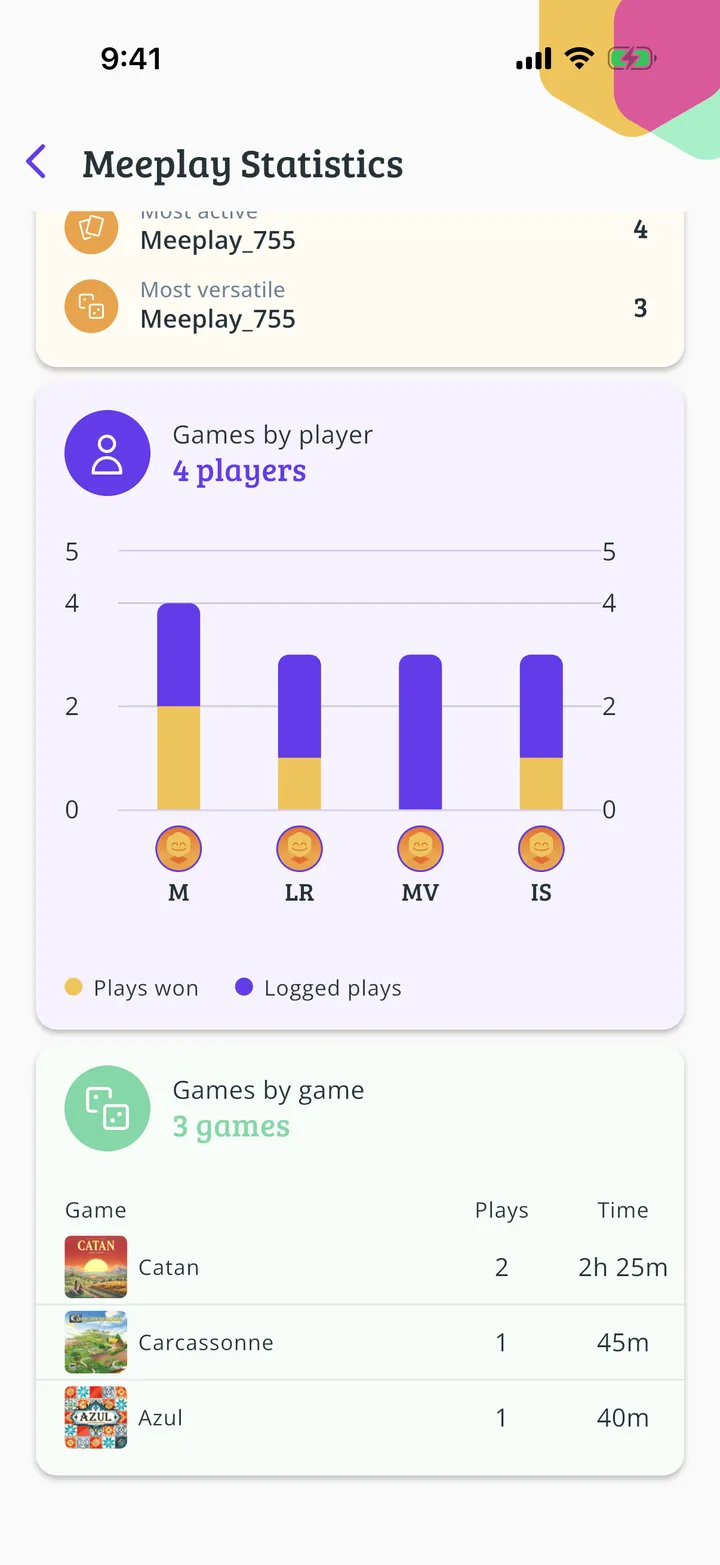
Each Meeplay adds up the games logged in it: how many, which games, how long and who won. This guide shows where to see them, with an afternoon of four games.
Have the Meeplay app installed and be logged in to your account.
Games must have been logged in the Meeplay: without games there are no statistics.
In each screenshot, what you need to tap is outlined in yellow and pointed out with an arrow.
Step 1 of 4
Open the Meeplay
On the home screen, under Mis eventos, tap the Meeplay.
Step 2 of 4
Open the statistics
Tap the bars button at the top right.
Step 3 of 4
The event summary
At the top you have the games played, the different games and the total time; below, the records: the longest and shortest game, and who played most. With Filter by game and Filter by player you see it for just one game or one person.
Step 4 of 4
By player and by game
Further down, the chart compares the games played and won by each player, and the table splits the games and time by game.
Guide completed
All done!
You have finished the guide. If something did not go as in the screenshots, tell us which step you got stuck on and we will help you.