Every game you log adds to your history and your stats, and to those of the people who played with you. This guide logs a three-player game of Carcassonne with its scores.
Have the Meeplay app installed and be logged in to your account.
In each screenshot, what you need to tap is outlined in yellow and pointed out with an arrow.
Step 1 of 9
Open "Log play"
Tap the + button in the middle of the bottom bar and then the Log play icon.
Step 2 of 9
Choose the game
The date and time are now; tap them if you played at another time. Then tap Game.
Step 3 of 9
Search your games or all of them
Type the name at the top. At first only the games in your collection show up (I got it); if it is not there, tap that filter to remove it and search all games.
Step 4 of 9
Tap the game
Tap the game you played.
Step 5 of 9
Add the players
You are already in. Tap Players to add the rest.
Step 6 of 9
Select who played
Select each person who played (you can search for them at the top) and tap the Add button at the bottom.
Step 7 of 9
Enter the scores
Type each player's score under Points: the position on the right is worked out on its own, with a trophy for the winner. If the game has no scores, see Log winners and losers.
Step 8 of 9
Link it to a Meeplay?
Tap Register play. The app asks whether the game belongs to a Meeplay: Associate to Meeplay lets you choose which; No, not now saves it in a new Meeplay dated today, to keep your games in order.
Step 9 of 9
Game logged
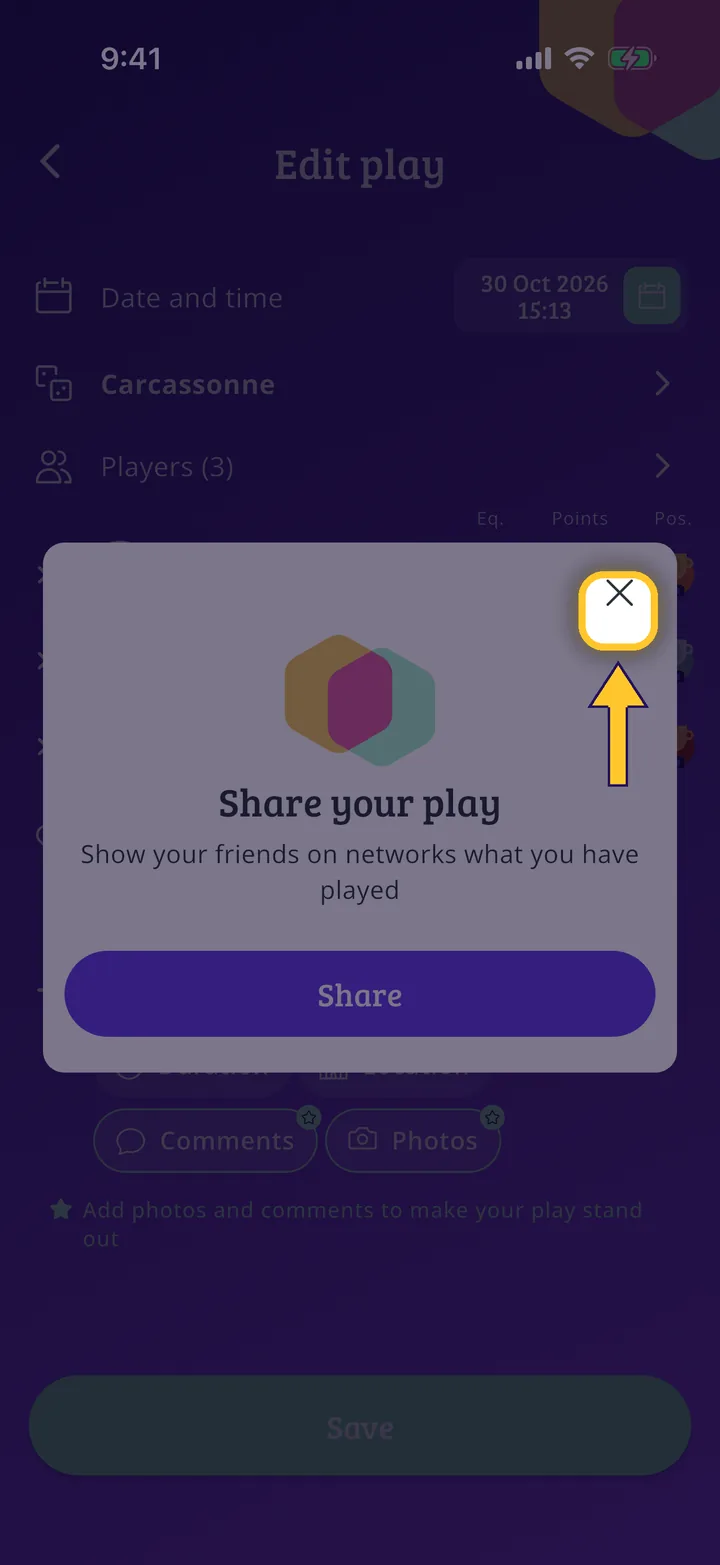
It is saved. If you like, share it on social media with Share; otherwise close the message with the X.
Guide completed
All done!
You have finished the guide. If something did not go as in the screenshots, tell us which step you got stuck on and we will help you.