Help · Stats and achievements
Where to find your user activity
Find everything you have published on Meeplay on your profile: your posts, games and Meeplays.
Before you start
2 steps with screenshots of the app
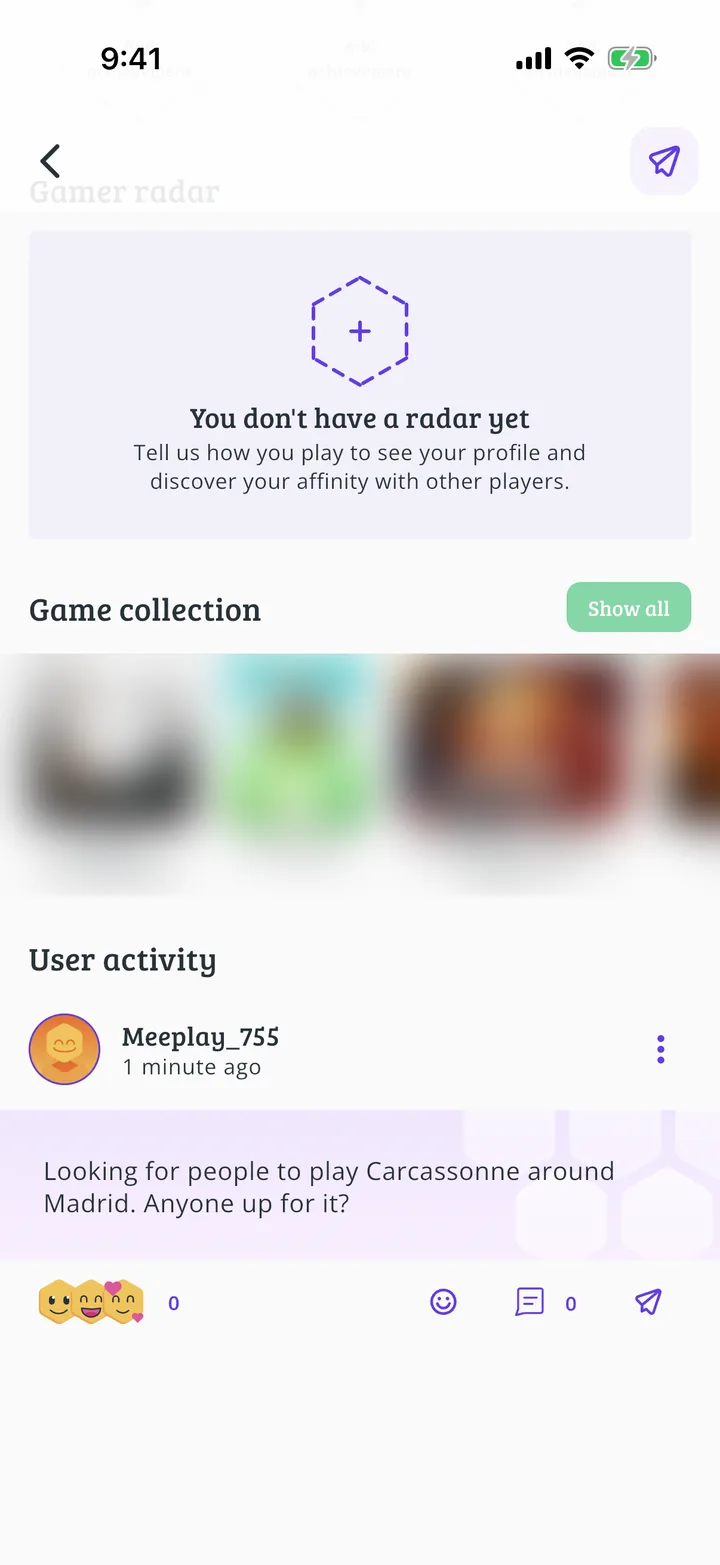
What you publish on Meeplay is collected on your profile, in the activity section, which is also what other players see.
- Have the Meeplay app installed and be logged in to your account.
In each screenshot, what you need to tap is outlined in yellow and pointed out with an arrow.
- Step 1 of 2
Open your profile
On the home screen, tap your name at the top left.
- Step 2 of 2
Scroll down to the activity
Scroll down your profile to User activity. Your posts are there, from newest to oldest.
Guide completed
All done!
You have finished the guide. If something did not go as in the screenshots, tell us which step you got stuck on and we will help you.