How to create a Meeplay open to people outside the association
Create a Meeplay from your association that anyone can see and that non-members can join.
7 steps with screenshots of the app
A Meeplay from your association can also be open to everyone, so new people can come along. You choose it under privacy.
- Have the Meeplay app installed and be logged in to your account.
- Manage an organization on Meeplay. If you don't have one yet, follow the How to create your organization guide first.
In each screenshot, what you need to tap is outlined in yellow and pointed out with an arrow.
- Step 1 of 7
Switch to your organization's profile
On the home screen, tap the two arrows button to the right of your name.
- Step 2 of 7
Choose your organization
Under Select an organizer, tap your organization's name.
- Step 3 of 7
Open "New Meeplay"
Tap the + button at the bottom and then the New Meeplay icon.
- Step 4 of 7
Open privacy
With the name set, tap Privacy under Quick settings.
- Step 5 of 7
Choose "Public"
Public: Visible to all users in search results. Tap it.
- Step 6 of 7
Choose "All users"
Tap All users, so anyone can join. If you would rather stay out of searches but allow guests, choose Private first and this same option here: Users who are not part of the association can be invited by members by sharing the QR code or the Meeplay link.
- Step 7 of 7
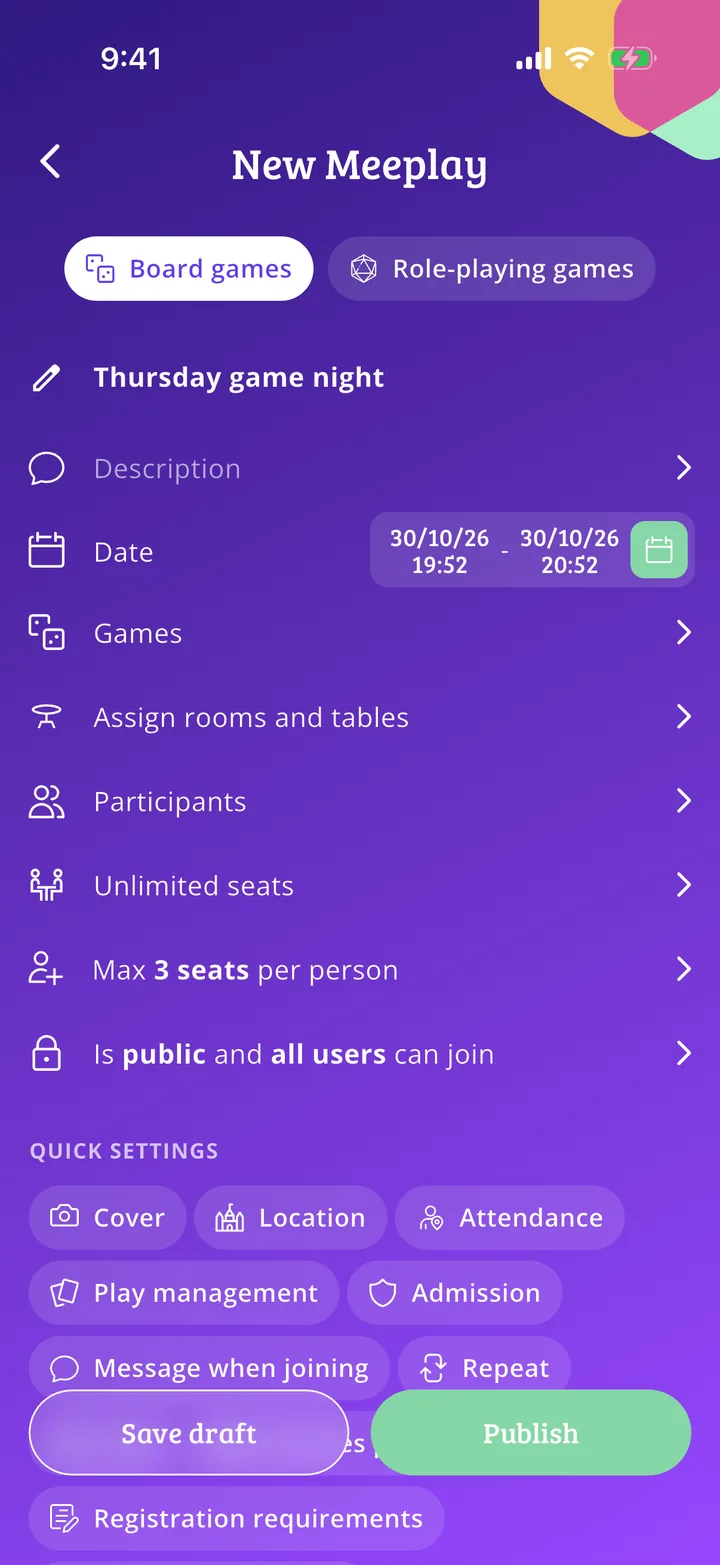
Publish it
Your choice is summed up on the form. Finish the Meeplay and tap Publish.
All done!
You have finished the guide. If something did not go as in the screenshots, tell us which step you got stuck on and we will help you.