How to add new members
Accept or reject requests from people who want to join your club, or add them yourself.
6 steps with screenshots of the app
There are two ways for someone to become a member of your club: they ask from your profile and you approve, or you add them yourself. This guide approves a request and shows you where to add someone directly.
- Have the Meeplay app installed and be logged in to your account.
- Manage an organization on Meeplay. If you don't have one yet, follow the How to create your organization guide first.
- The other person must have a Meeplay account.
In each screenshot, what you need to tap is outlined in yellow and pointed out with an arrow.
- Step 1 of 6
Switch to your organization's profile
On the home screen, tap the two arrows button to the right of your name.
- Step 2 of 6
Choose your organization
Under Select an organizer, tap your organization's name.
- Step 3 of 6
Open members
On your organization's dashboard, tap Members.
- Step 4 of 6
Review the requests
Pending shows who wants to join and their message. Tap Approve or Reject. The switch at the top decides whether you accept requests.
- Step 5 of 6
They're now a member
The person moves to Members. The bin removes their membership. To add someone who hasn't asked, tap Add member.
- Step 6 of 6
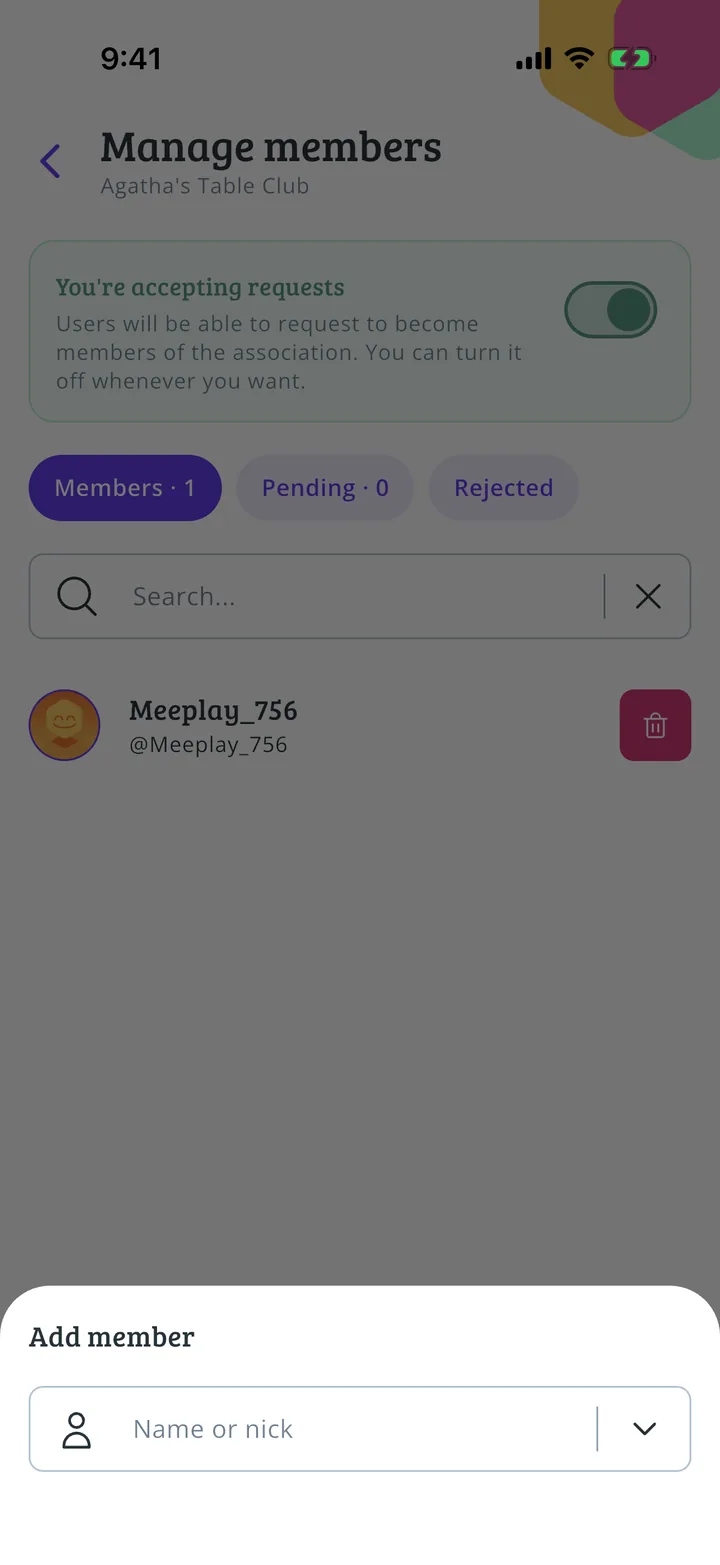
Add someone directly
Search for the person by name and confirm.
All done!
You have finished the guide. If something did not go as in the screenshots, tell us which step you got stuck on and we will help you.