How to reserve a game from the library
Hold a copy of a library game before going to get it, or ask to be told when it is available again.
6 steps with screenshots of the app
If the library accepts reservations, you can hold a copy for a few hours. And if there are no copies left, you can ask to be notified.
- Have the Meeplay app installed and be logged in to your account.
In each screenshot, what you need to tap is outlined in yellow and pointed out with an arrow.
- Step 1 of 6
Open the library
On the Meeplay page, tap Game library. It only appears if the Meeplay has a published library.
- Step 2 of 6
Choose a game
Tap the game you want. On the right you can see how many copies are free.
- Step 3 of 6
Reserve
Tap Reserve. If there are no copies left, you will see the option to be notified when someone returns one.
- Step 4 of 6
Confirm
Check how long the copy will be held for and tap Accept.
- Step 5 of 6
Copy reserved
Your copy is now on hold. Collect it before the reservation expires. Tap Done.
- Step 6 of 6
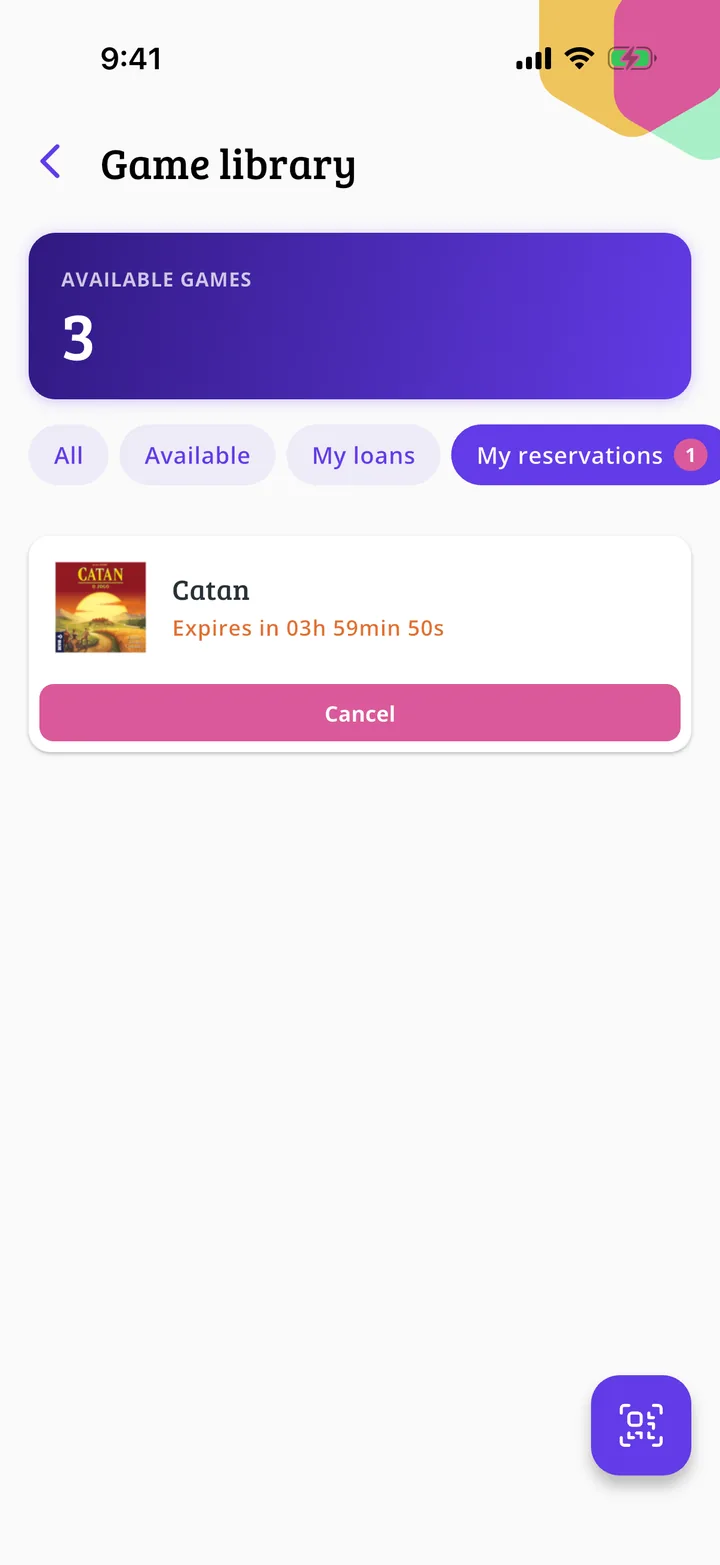
Check your reservations
My reservations shows your reservations and My notices the games you are waiting to hear about.
All done!
You have finished the guide. If something did not go as in the screenshots, tell us which step you got stuck on and we will help you.
Next in «For associations»How to create the rooms and tables of your venue →