How to create your gamer radar
Create your gamer radar in the Meeplay app: say how you like to play to show it on your profile and see your affinity with other players.
5 steps with screenshots of the app
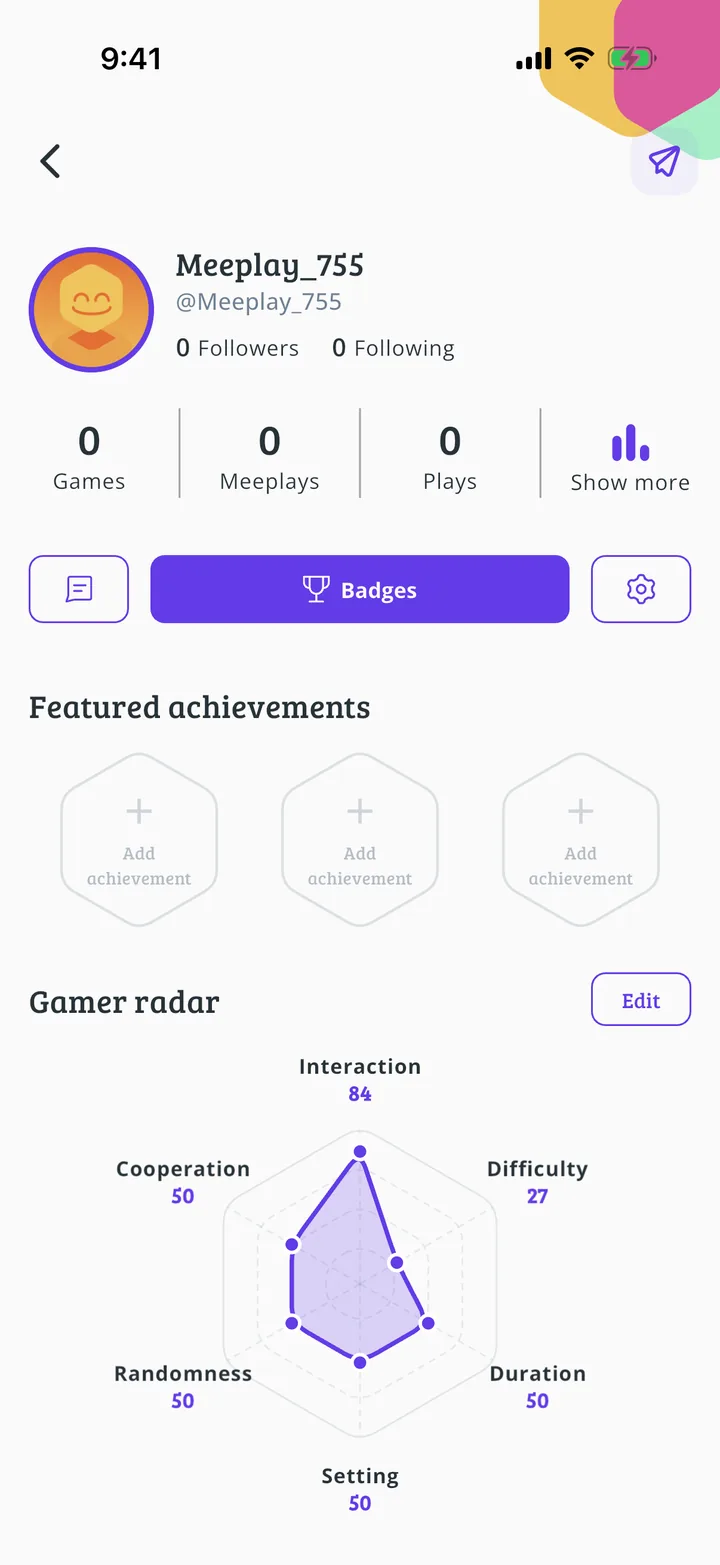
The radar sums up how you like to play on six axes: interaction, difficulty, duration, setting, randomness and cooperation. It shows on your profile and is used to see your affinity with other people.
- Have the Meeplay app installed and be logged in to your account.
In each screenshot, what you need to tap is outlined in yellow and pointed out with an arrow.
- Step 1 of 5
Open your profile
On the home screen, tap your name at the top left.
- Step 2 of 5
Tap "Gamer radar"
Under Gamer radar, tap the You don't have a radar yet box.
- Step 3 of 5
Move the sliders
Move each slider towards the side that suits you best: for example, Interaction, from Solo focus to Lots of interaction. The drawing at the top changes as you go.
- Step 4 of 5
Save the radar
When they are all set, scroll down and tap Save changes.
- Step 5 of 5
Your radar, on your profile
It now shows on your profile. To change it whenever you like, tap Edit.
All done!
You have finished the guide. If something did not go as in the screenshots, tell us which step you got stuck on and we will help you.