How to create a post on Meeplay
Share whatever you like on the Meeplay feed: a message, photos or a video of your game, or a poll for your followers.
4 steps with screenshots of the app
Posts are the way to tell the community things: find people to play with, show your latest game or ask something. This guide publishes a message looking for players.
- Have the Meeplay app installed and be logged in to your account.
In each screenshot, what you need to tap is outlined in yellow and pointed out with an arrow.
- Step 1 of 4
Open "New Post"
Tap the + button in the middle of the bottom bar and then the New Post icon.
- Step 2 of 4
Write and add whatever you like
Write the message. If you like, add photos or a video with Image or video, or ask a question with options with Poll. When it is ready, tap Send.
- Step 3 of 4
Published!
Tap Done.
- Step 4 of 4
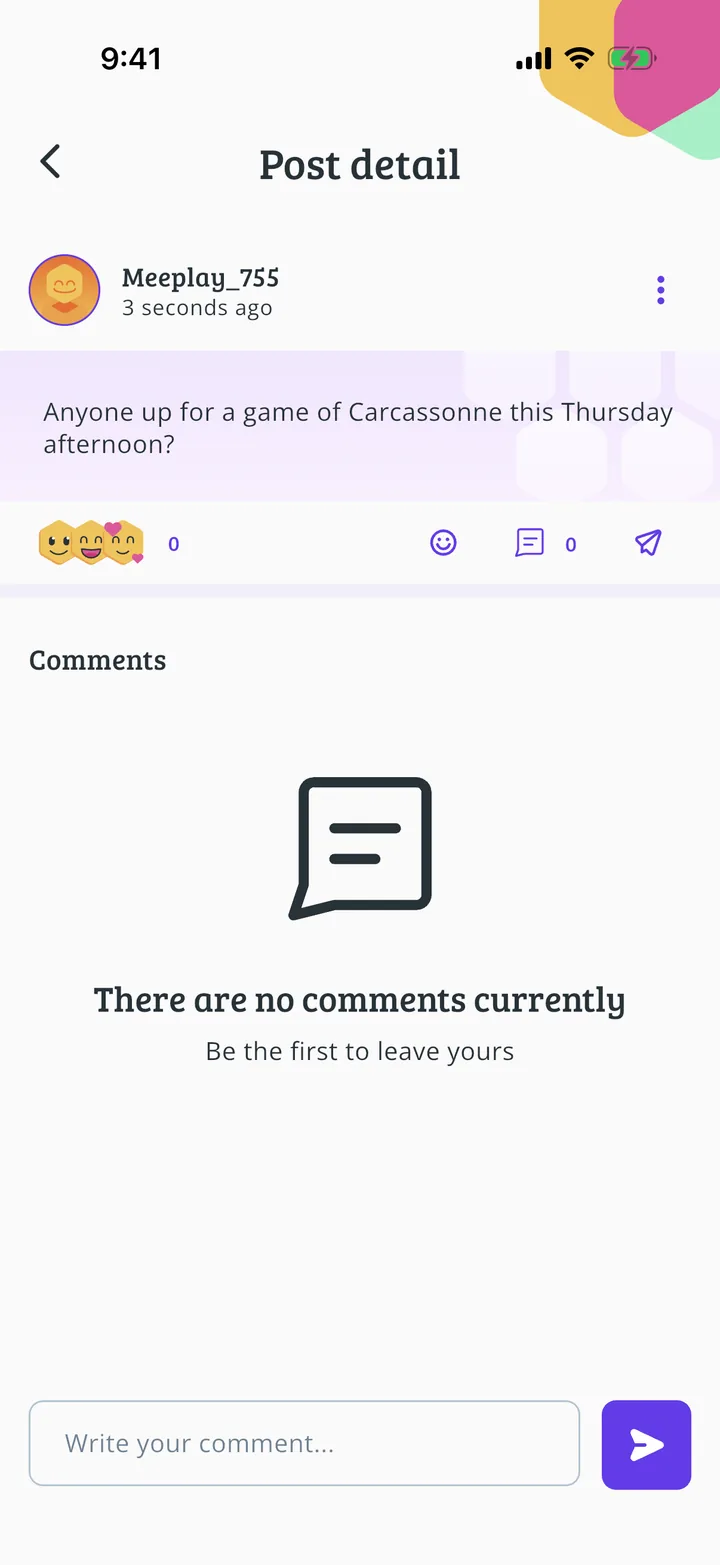
Your post, on the feed
It is published. People can React, Reply or leave comments; from the three dots at the top you edit or delete it.
All done!
You have finished the guide. If something did not go as in the screenshots, tell us which step you got stuck on and we will help you.