How to book a table at an organization
If an organization accepts bookings, choose how many of you there are, the day, the time and the table, then confirm.
10 steps with screenshots of the app
Many associations and shops open their tables for booking. You do it from their profile in five steps.
- Have the Meeplay app installed and be logged in to your account.
In each screenshot, what you need to tap is outlined in yellow and pointed out with an arrow.
- Step 1 of 10
Open search
On the home screen, tap the magnifying glass at the top.
- Step 2 of 10
Search for the organization
Type its name, tap Organizers and tap it on the list.
- Step 3 of 10
Open bookings
On its profile, tap Book your visit.
- Step 4 of 10
Say how many of you there are
Adjust the number and tap Next.
- Step 5 of 10
Choose the day and time
Tap a day and, under Available times, the start time. Then tap Next.
- Step 6 of 10
Choose the end time
Under Until what time?, tap the end time. The total appears at the top. Tap Next.
- Step 7 of 10
Complete your details
Check your contact details. If you like, choose a room and table and add comments. Tap Next.
- Step 8 of 10
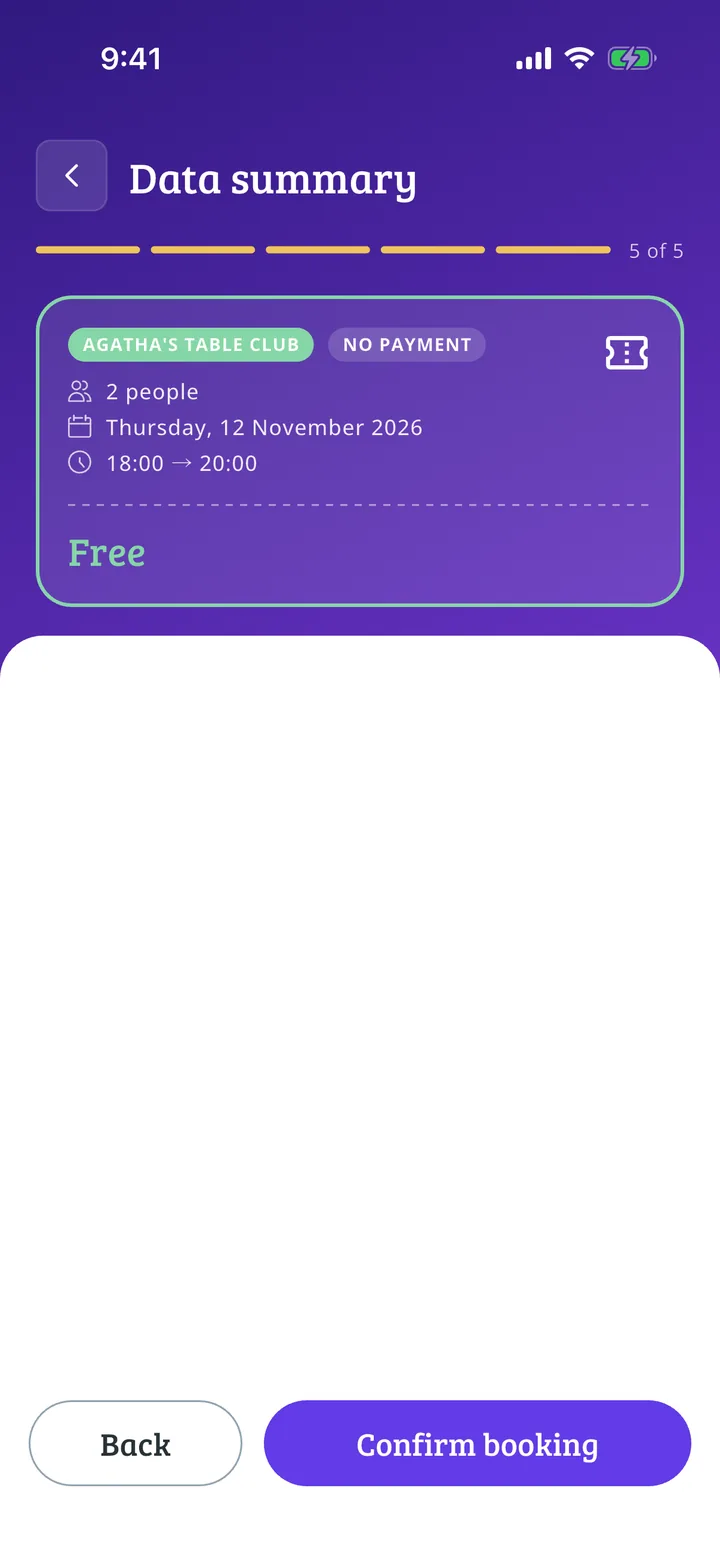
Check and confirm
Check the summary and tap Confirm booking.
- Step 9 of 10
Confirm
Tap Confirm.
- Step 10 of 10
Booking confirmed!
Tap Done. If the organization approves bookings manually, you will be notified when it replies.
All done!
You have finished the guide. If something did not go as in the screenshots, tell us which step you got stuck on and we will help you.
Next in «For players»How to sign up for an event activity →