How to see your affinity with other users
Compare your gamer radar with someone else's and find out how alike you are when you play.
4 steps with screenshots of the app
If you and someone else have both completed the Gamer radar, their profile shows your affinity percentage and how you compare. If you don't have a radar yet, follow the gamer radar guide first.
- Have the Meeplay app installed and be logged in to your account.
- Have completed your Gamer radar, and the other person must have one too.
In each screenshot, what you need to tap is outlined in yellow and pointed out with an arrow.
- Step 1 of 4
Open the search
On the home screen, tap the magnifying glass.
- Step 2 of 4
Find the person
Type their name, press the search key on the keyboard and tap them in the results.
- Step 3 of 4
See your affinity
On their profile, Affinity shows how alike you are. Tap it to see the details.
- Step 4 of 4
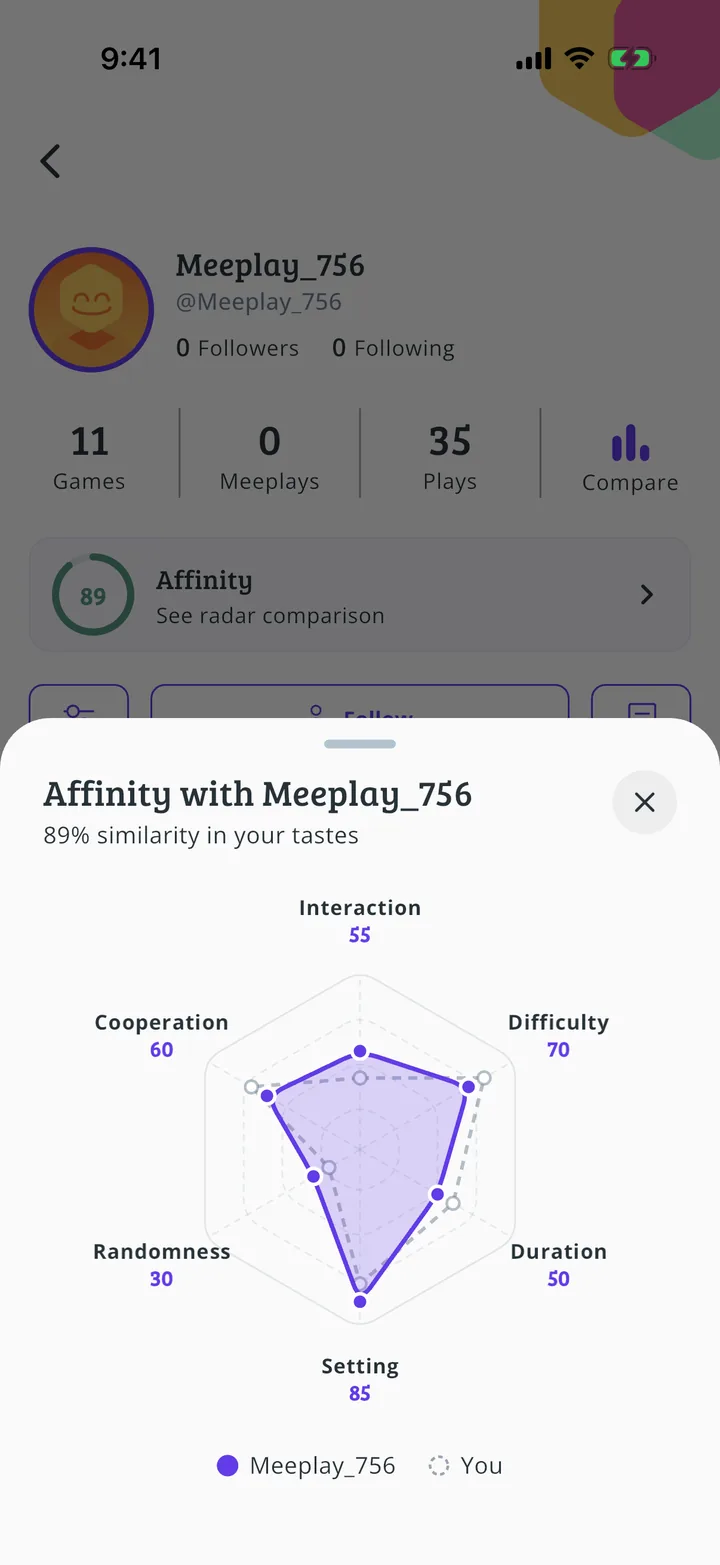
Compare your radars
Here are your two radars, one on top of the other, and the similarity percentage.
All done!
You have finished the guide. If something did not go as in the screenshots, tell us which step you got stuck on and we will help you.
Next in «For players»How to join a Meeplay →