Help · Settings and notifications
How to send a suggestion or report a bug
Tell us what you would improve or what went wrong using the form in the app.
Before you start
5 steps with screenshots of the app
If you have an idea or something isn't working as it should, you can tell us from the app itself.
- Have the Meeplay app installed and be logged in to your account.
In each screenshot, what you need to tap is outlined in yellow and pointed out with an arrow.
- Step 1 of 5
Open your profile
On the home screen, tap your name at the top left.
- Step 2 of 5
Go to "Settings"
Tap Settings.
- Step 3 of 5
Open "Help us to improve"
Tap Help us to improve.
- Step 4 of 5
Choose the type
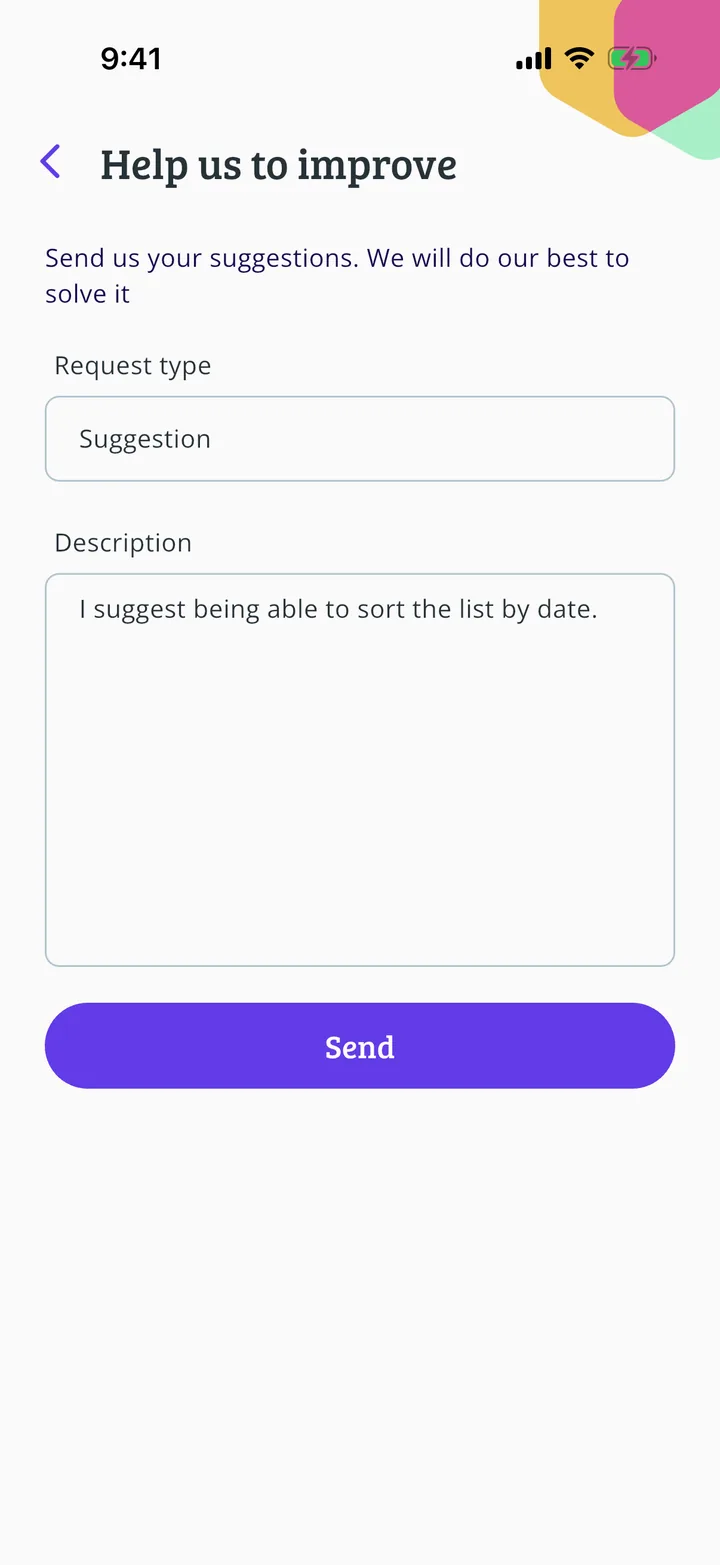
Under Request type, tap the list to choose what you want to send.
- Step 5 of 5
Write and send
Say what you want under Description and tap Send.
Guide completed
All done!
You have finished the guide. If something did not go as in the screenshots, tell us which step you got stuck on and we will help you.
Next in «For players»How to suggest a game missing from the catalogue →