How to react to, comment on and share a post
Respond to what people post in the feed with a reaction or a comment, or share it.
7 steps with screenshots of the app
The feed is where the community shares what it is up to. You can react, leave a comment or share any post.
- Have the Meeplay app installed and be logged in to your account.
In each screenshot, what you need to tap is outlined in yellow and pointed out with an arrow.
- Step 1 of 7
Open the feed
Tap the community icon at the bottom.
- Step 2 of 7
Choose a post
Tap Posts to see posts only. Under each one you have reactions, comments and sharing. Tap the smiley face.
- Step 3 of 7
Choose your reaction
Tap the one you want.
- Step 4 of 7
Open the comments
Your reaction now counts. To comment, tap the speech bubble.
- Step 5 of 7
Write your comment
Tap Write your comment....
- Step 6 of 7
Send it
Write what you want and tap the arrow.
- Step 7 of 7
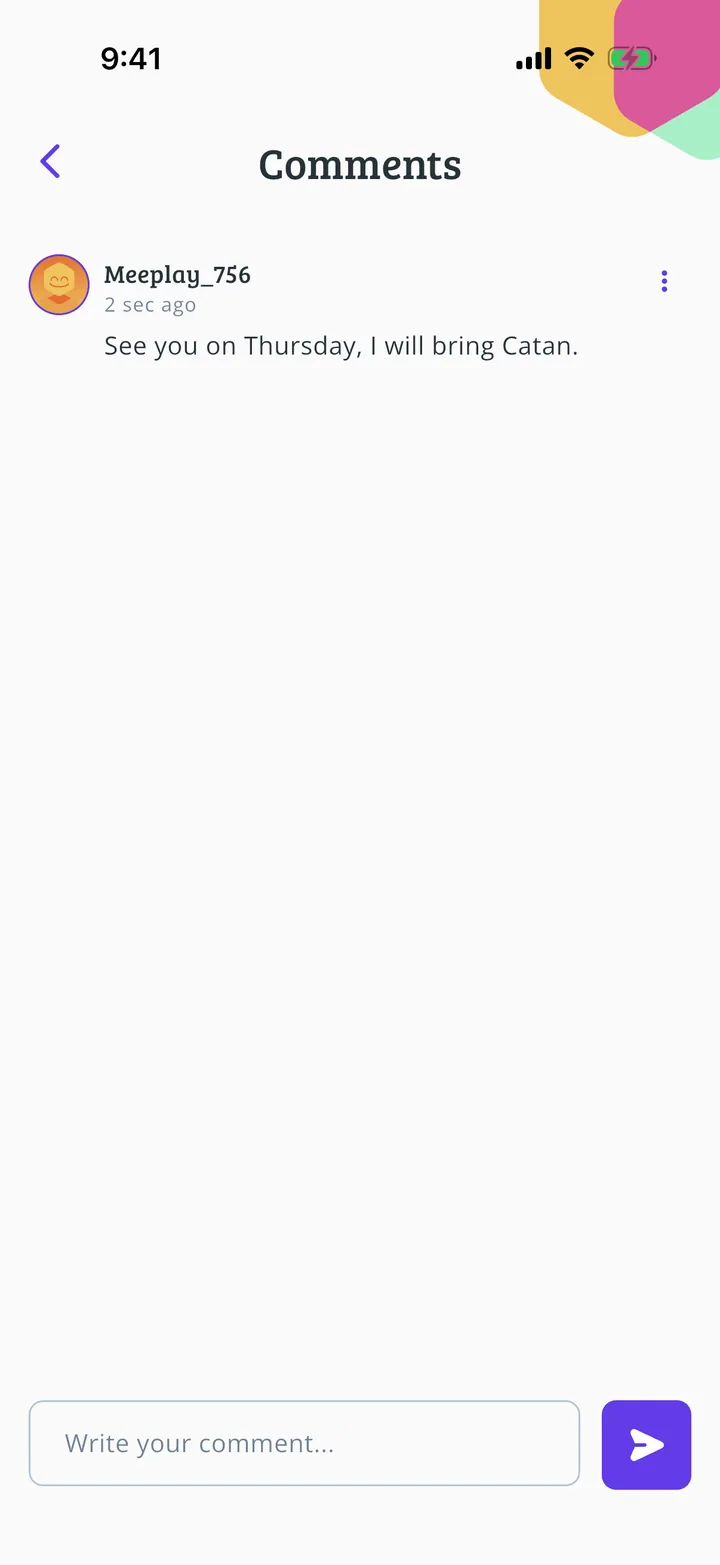
It is published
Your comment appears on the post. To share it with someone else, use the paper plane under each post.
All done!
You have finished the guide. If something did not go as in the screenshots, tell us which step you got stuck on and we will help you.
Next in «For players»How to send direct messages →