Help · Second-hand market
How to save listings to your favourites in the market
Mark the listings you like with a heart and find them later in your favourites.
Before you start
4 steps with screenshots of the app
Have you seen a game you like but haven't made up your mind yet? Save it with the heart and keep it handy.
- Have the Meeplay app installed and be logged in to your account.
In each screenshot, what you need to tap is outlined in yellow and pointed out with an arrow.
- Step 1 of 4
Open search
In the market, tap Search.
- Step 2 of 4
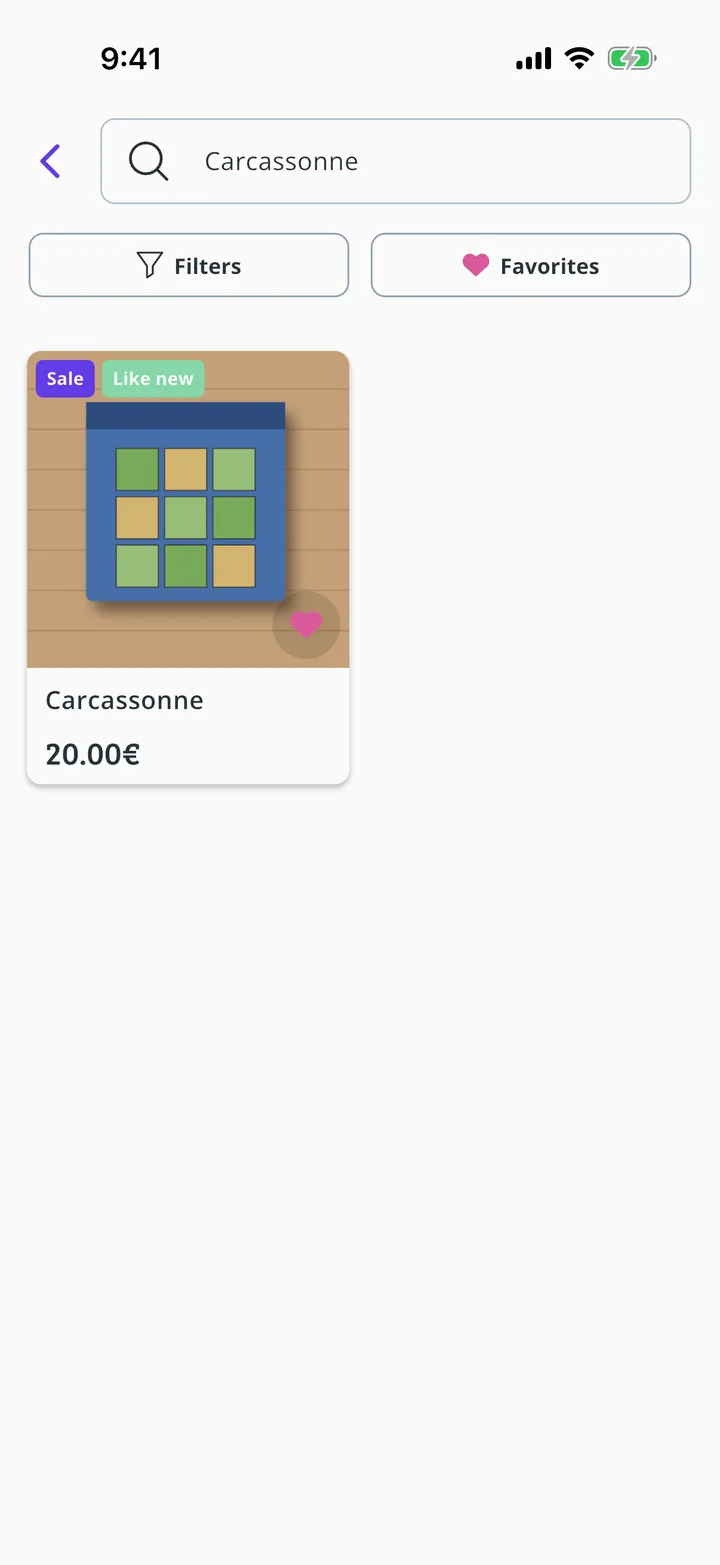
Tap the heart
Search for the game and tap the heart on its listing.
- Step 3 of 4
Open your favourites
The heart stays marked. Tap Favorites.
- Step 4 of 4
Here they are
Here are the listings you have saved. Tap the heart again to remove one.
Guide completed
All done!
You have finished the guide. If something did not go as in the screenshots, tell us which step you got stuck on and we will help you.
Next in «For players»How to contact a game's seller or buyer →