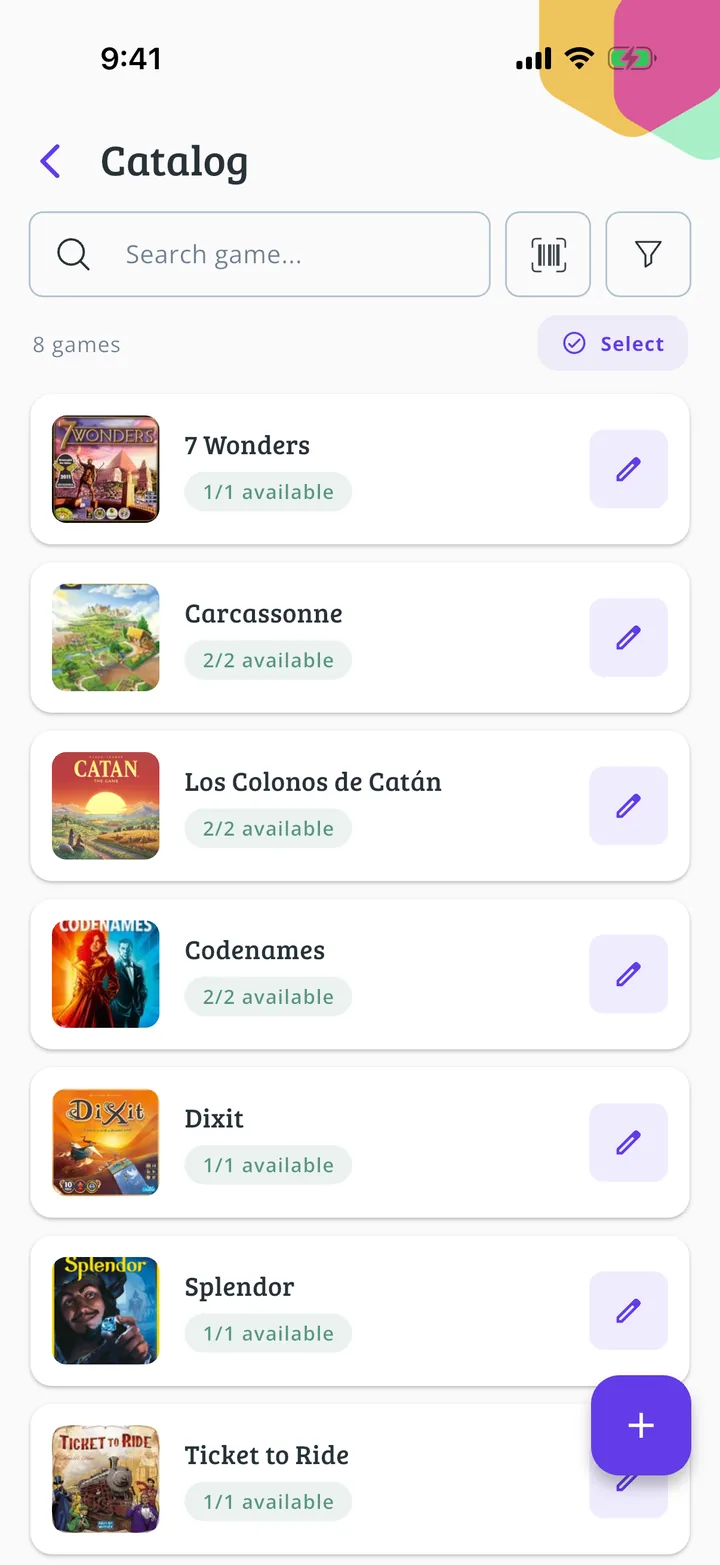
If your club has a lot of games, the quickest way is to load them with Meeplay's Excel template: one row per game, with its copies, section and shelf. The app processes it and creates the library with all of them. If you would rather go one by one, see the guide to load it game by game.
Have the Meeplay app installed and be logged in to your account.
Manage an organization on Meeplay of the association, shop, organization or others type. If you don't have one yet, follow the "How to create your organization" guide first.
Be able to open and save an Excel file (.xlsx) on your phone, for example with Excel, Numbers or Google Sheets.
In each screenshot, what you need to tap is outlined in yellow and pointed out with an arrow.
Step 1 of 12
Switch to your club's profile
On the home screen, tap the two arrows button to the right of your name.
Step 2 of 12
Choose your club
Under Select an organizer, tap your club's name.
Step 3 of 12
Open the game library
You are now on your club's dashboard. Tap the Library icon, the one with the shelf.
Step 4 of 12
Choose to import from a template
Under Get started faster, tap Import from template.
Step 5 of 12
Download and fill in the template
Tap the download button next to meeplay-ludoteca.xlsx to get the template and open it in your spreadsheet app. Fill in one row per game on the first sheet: the name is required, and adding the BoardGameGeek ID helps match the game. Optionally add the copies, section and shelf. Save the file with the first sheet open: the second one only explains the allowed values. Then tap Continue.
Step 6 of 12
Choose the file
Tap Choose file.
Step 7 of 12
Find your filled-in template
Your phone's file picker opens. Find the template where you saved it and tap it.
Step 8 of 12
Upload it
Check that the file name shows and tap Upload file. With a lot of games it can take a few minutes; meanwhile you can keep using the app.
Step 9 of 12
Check the result
You will see Library imported and how many games were added. Tap Continue.
Step 10 of 12
Publish the library
Back on the settings screen, tap Publish. If you would rather review it first, tap Save as draft and publish it later.
Step 11 of 12
Your library is now published
The library dashboard opens, where you will manage loans and returns. Tap Catalog to see the games.
Step 12 of 12
Done!
The catalogue lists every game from the template with its available copies.
Guide completed
All done!
You have finished the guide. If something did not go as in the screenshots, tell us which step you got stuck on and we will help you.