Near me brings together everything in your area: players, shops, clubs and upcoming Meeplays. Only your approximate area is shown, never your address.
Have the Meeplay app installed and be logged in to your account.
Allow the app to use your location when it asks.
In each screenshot, what you need to tap is outlined in yellow and pointed out with an arrow.
Step 1 of 3
Open "Near me"
On the home screen, tap Near me.
Step 2 of 3
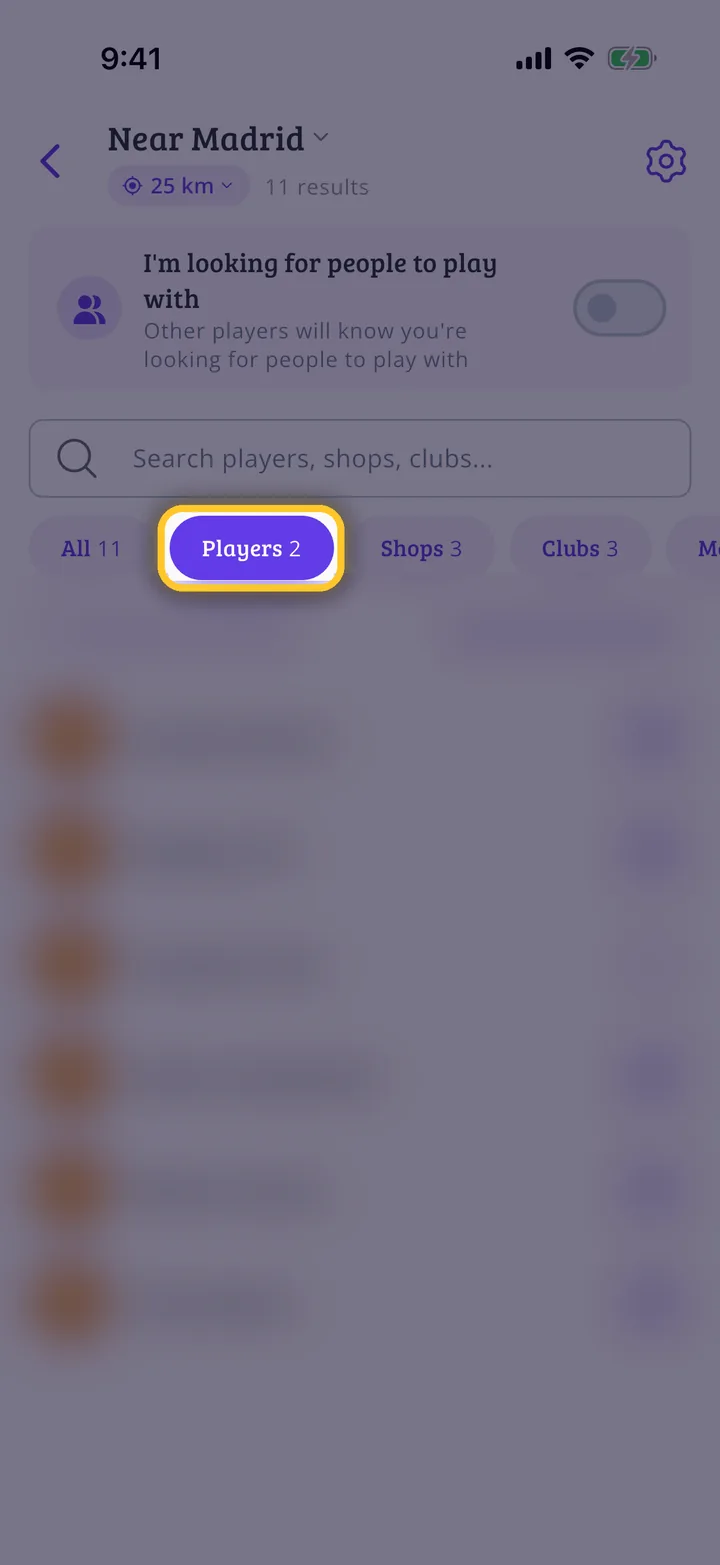
What is in your area
At the top you see your area and the search radius; tap them to change them. I'm looking for people to play with lets people know you are looking for someone to play with. The tabs filter the results: tap Players.
Step 3 of 3
Players nearby
Here are the people in your area. Tap someone to see their profile and follow them. If you don't want to appear here, turn it off in your privacy settings.
Guide completed
All done!
You have finished the guide. If something did not go as in the screenshots, tell us which step you got stuck on and we will help you.